Create User
You can create a user and log in to the dashboard.
First, go to the Users list page and click the [Create User] button to access the Create User page.

Information for Creating User
Fill in the information for the user you are creating. Once you have provided all the required details for the user, click the [Create] button to create the user.
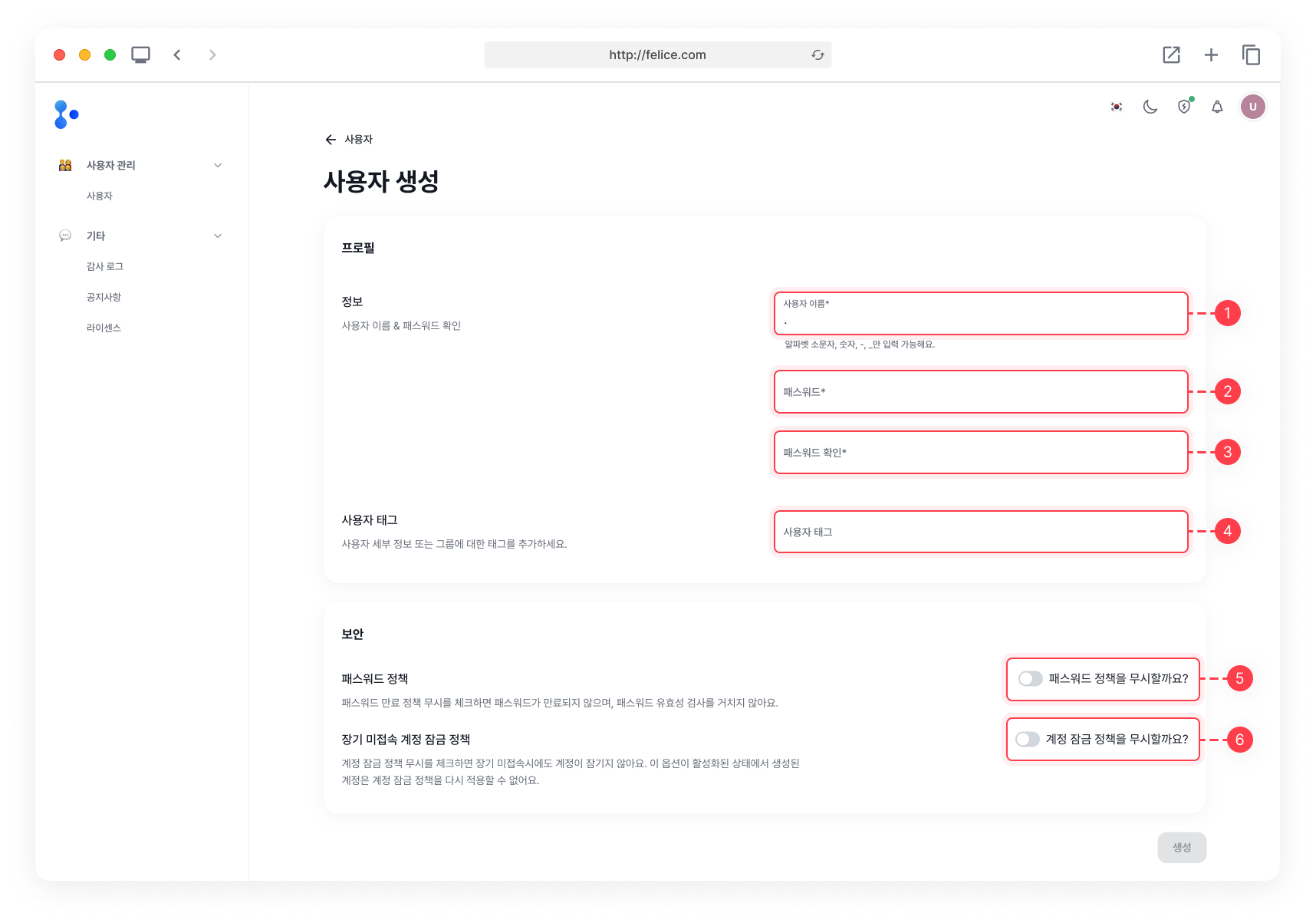
| Field | Description | Required |
|---|---|---|
| ⓵ User Name | The username used for login (consisting of letters and numbers) | O |
| ⓶ Password | The password used for login (consisting of letters, numbers, and special characters) | O |
| ⓷ Confirm Password | Confirmation of the password entered | O |
| ⓸ Tags | Meta information about the new user, entered in tag format | X |
| ⓹ Password policy | Whether to ignore password expiration policy and password validation | X |
| ⓺ Long-term inactive user policy | Whether to ignore account lock after prolonged inactivation | X |
The Create button will not be activated if the username or password does not meet the requirements.
Username Requirements
: Only consists of lowercase letters, numbers, -, and _
Password Requirements
⓵ Minimum 8 characters
⓶ Include lowercase letter
⓷ Include capital (uppercase) letter
⓸ Include number
⓹ Include special character
⓺ No whitespace allowed
Confirm Password Requirement
: Must match the password entered
Password policy and long-term inactive user policy cannot be changed once the user is created, so please select carefully.