License
A license is a key that grants users the permission to use the service. Each has an expiration date, and it must be updated after expiration. In order for Felice to function properly, the issued license must be registered on the Felice dashboard.
First, navigate to the Manage license page by clicking on the Shield Icon in the upper right corner, then selecting License. You can also choose to click on your Username Icon with your initial alphabet in the top right corner after logging in, then select License there.
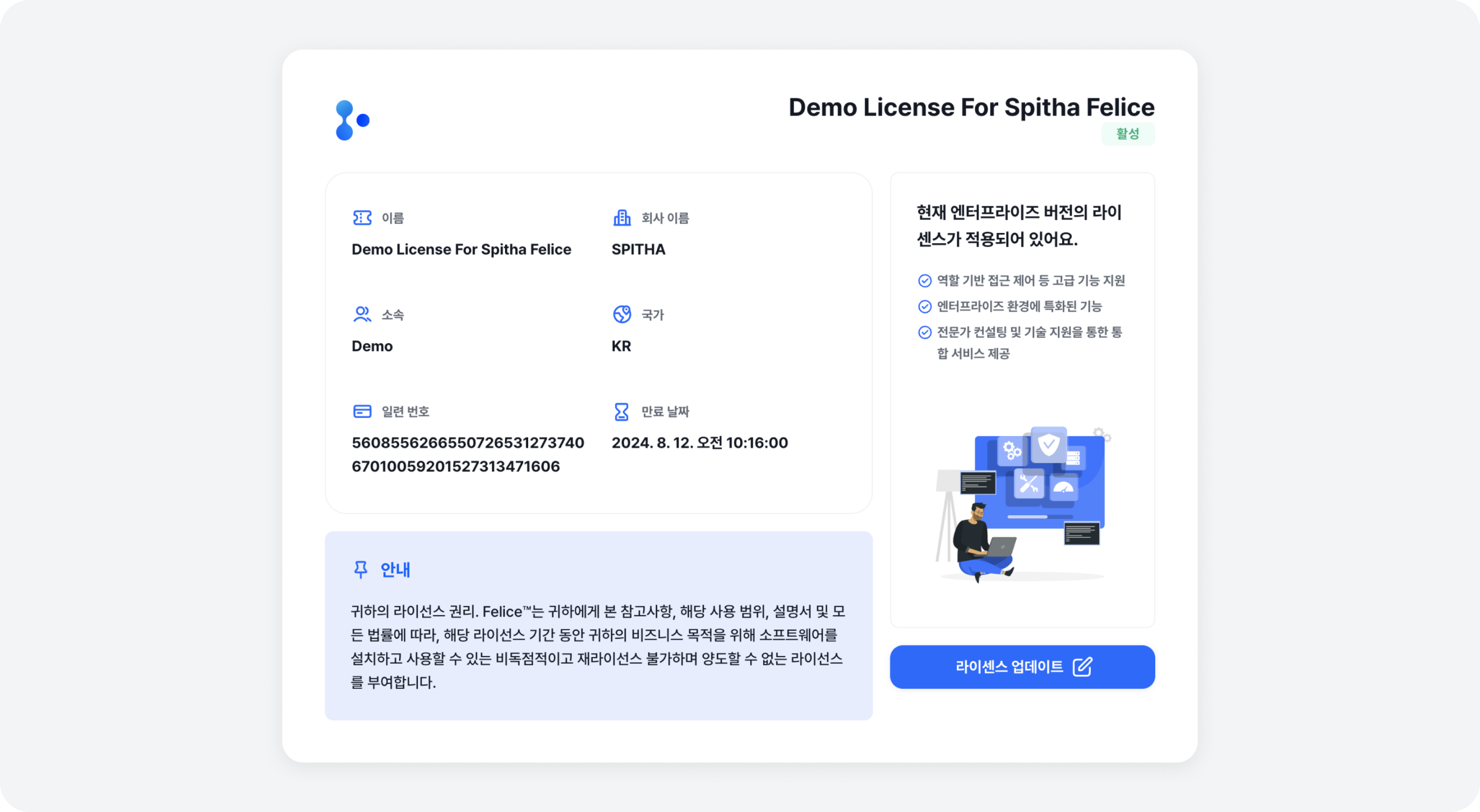
License has a specified expiration date. A top banner will appear to notify you, starting 15 days before the expiration.
Once the license is expired, you will only have access to the login page and the license page.
Updating License
You can update to a new license by clicking the [License Update] button.
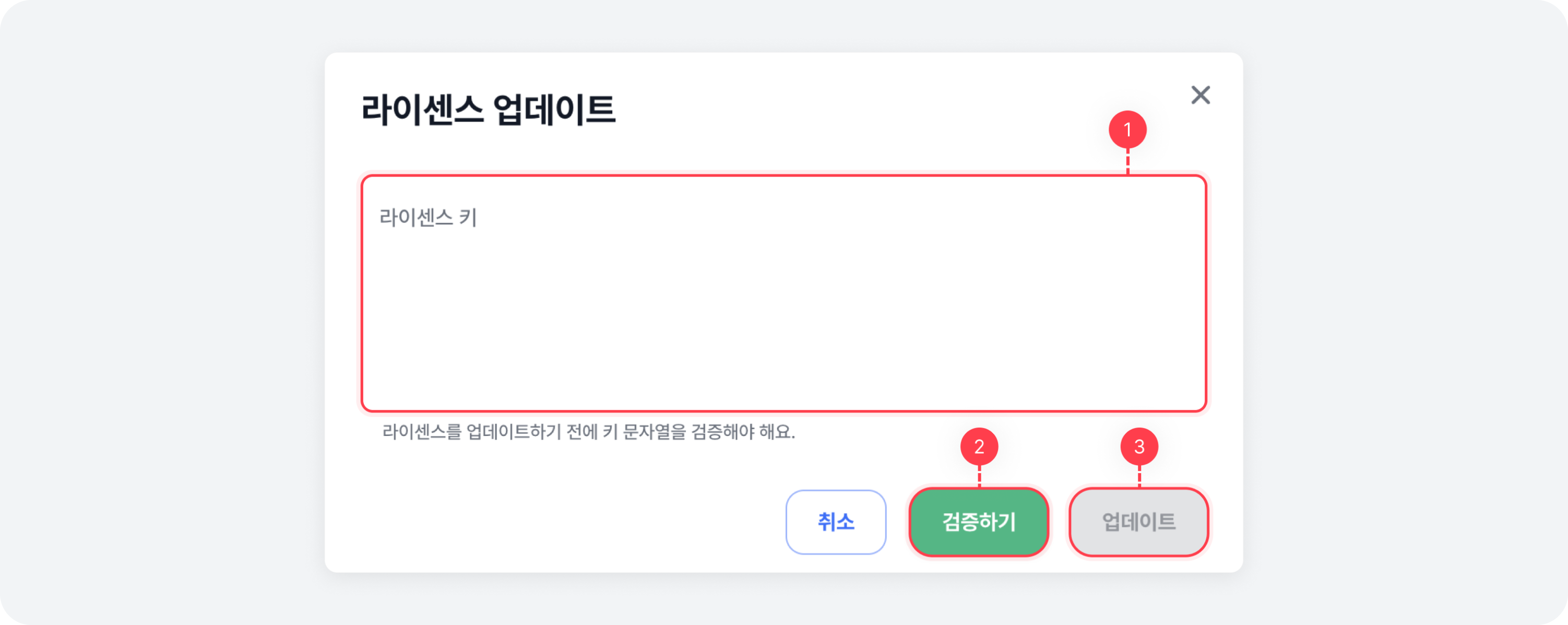
License Updating Procedure
If you want to update to the newly issued license, please follow these steps below.
⓵ Enter the newly issued license key.
⓶ Click the Verify button to validate the license and check your verification results.
⓷ Click the Update button.
When an invalid or expired license key is entered, an error occurs in the verification logic. Therefore, the Update button will not be enabled.