Consumer Group Overview
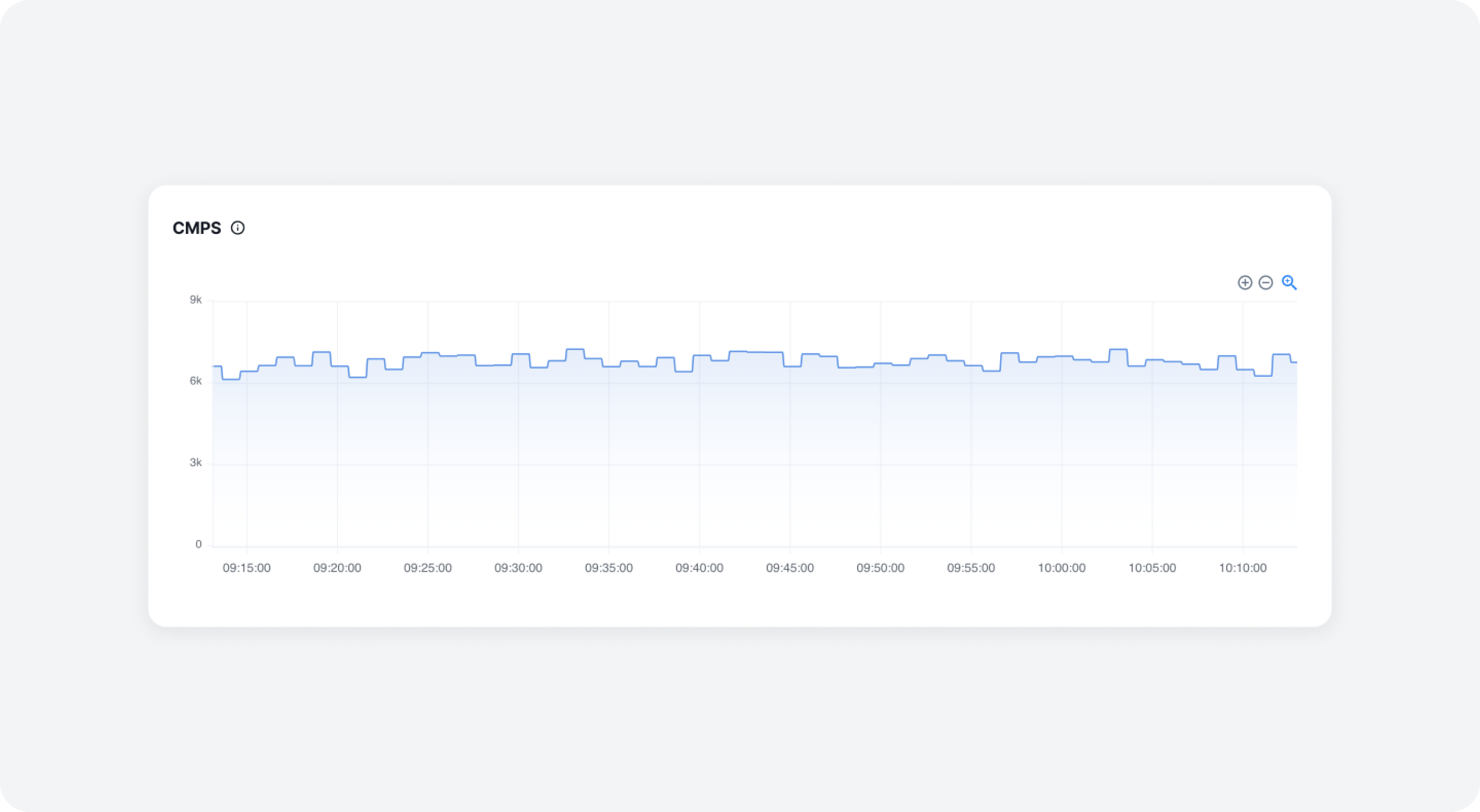
You can view consumer group information by selecting the Data Pipeline > Consumer menu. At the top of the page, you can see the CMPS history across the entire cluster, then further down, you can view the Consumer Group List.
CMPS
CMPS (Consumer Message Per Second) indicates the number of messages a consumer group processes per second. This allows you to assess the throughput of each consumer group.
Consumer Group List
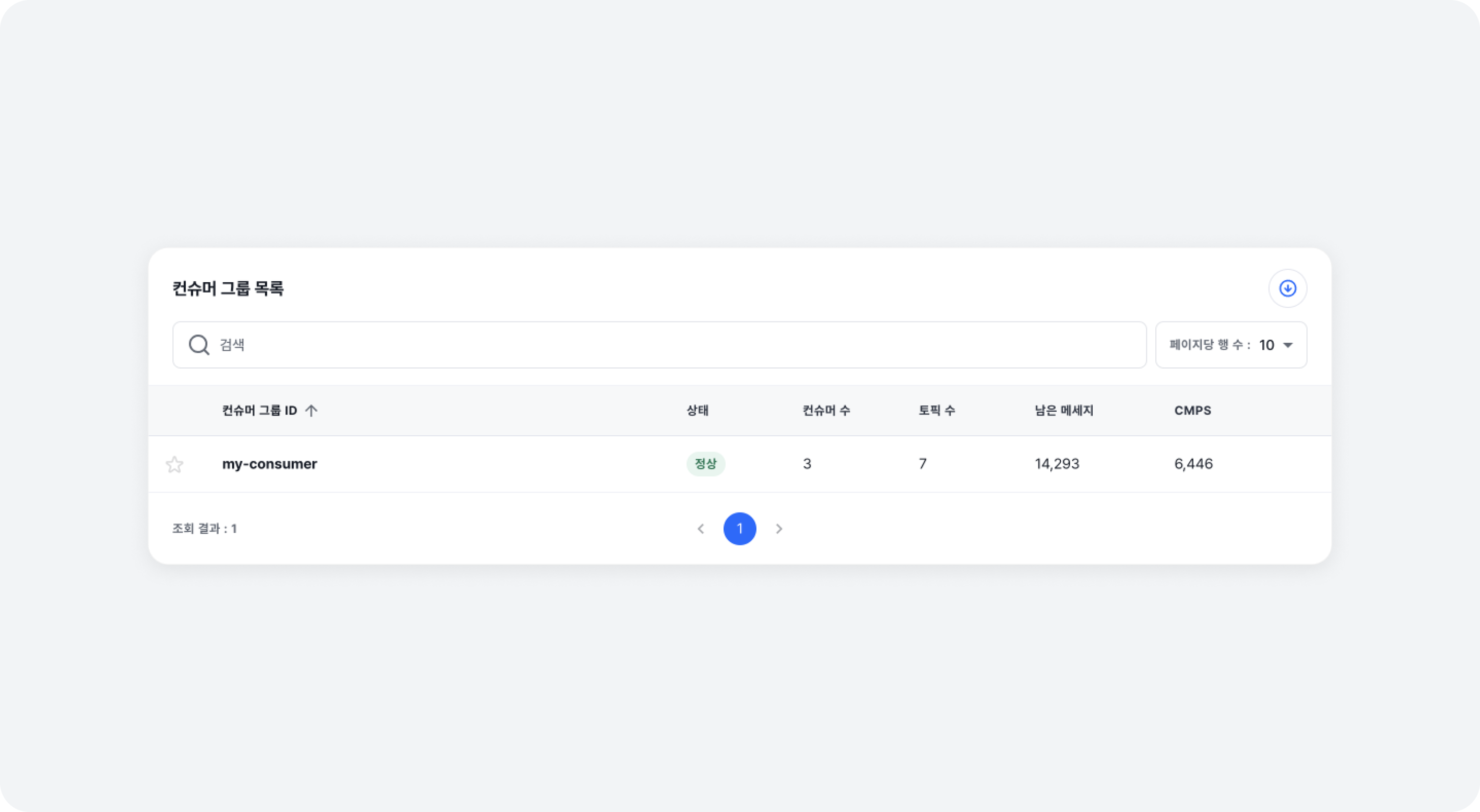
In the Consumer Group List, you can view the following field information. Click on the [Group ID] in the list to access the Consumer Group Details page.
-
Group ID
The Consumer Group ID reported upon consumer connection -
Status
The status of the consumer group -
Consumer
The number of consumers belonging to the group -
Topic
The number of topics subscribed to by the consumer group -
Message Behind
The total number of messages the consumers in the group have not processed -
CMPS
The number of messages the consumer group processes per second
| State | Description |
|---|---|
| UNKNOWN | Consumer group with information that cannot be retrieved |
| REBALANCE | Consumer group currently undergoing rebalancing |
| STABLE | Consumer group that is operating normally |
| DEAD | Consumer group that has been stopped |
| EMPTY | Consumer group with no active members, or a new consumer group that has just been created and no members had joined yet |
| NOT_FOUND | Consumer group that cannot be found |
Conditions for Dead State
-
When both of the following conditions are met
No members currently exist in the consumer group
No offset information exists for the current group members (includes cases where all offset information has expired) -
When the consumer group remained in a state with no members (empty) for 7 days