Audit Logs
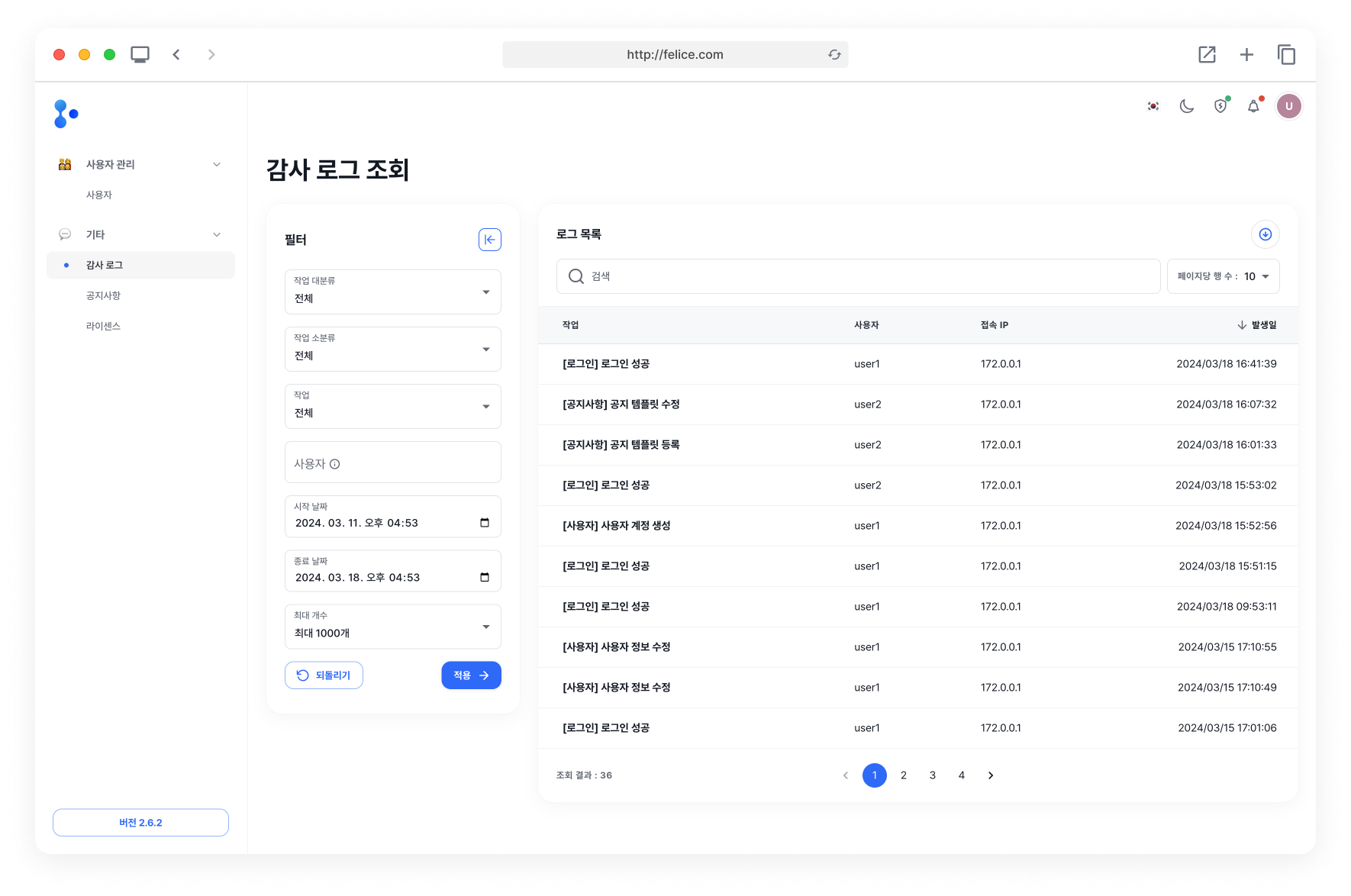
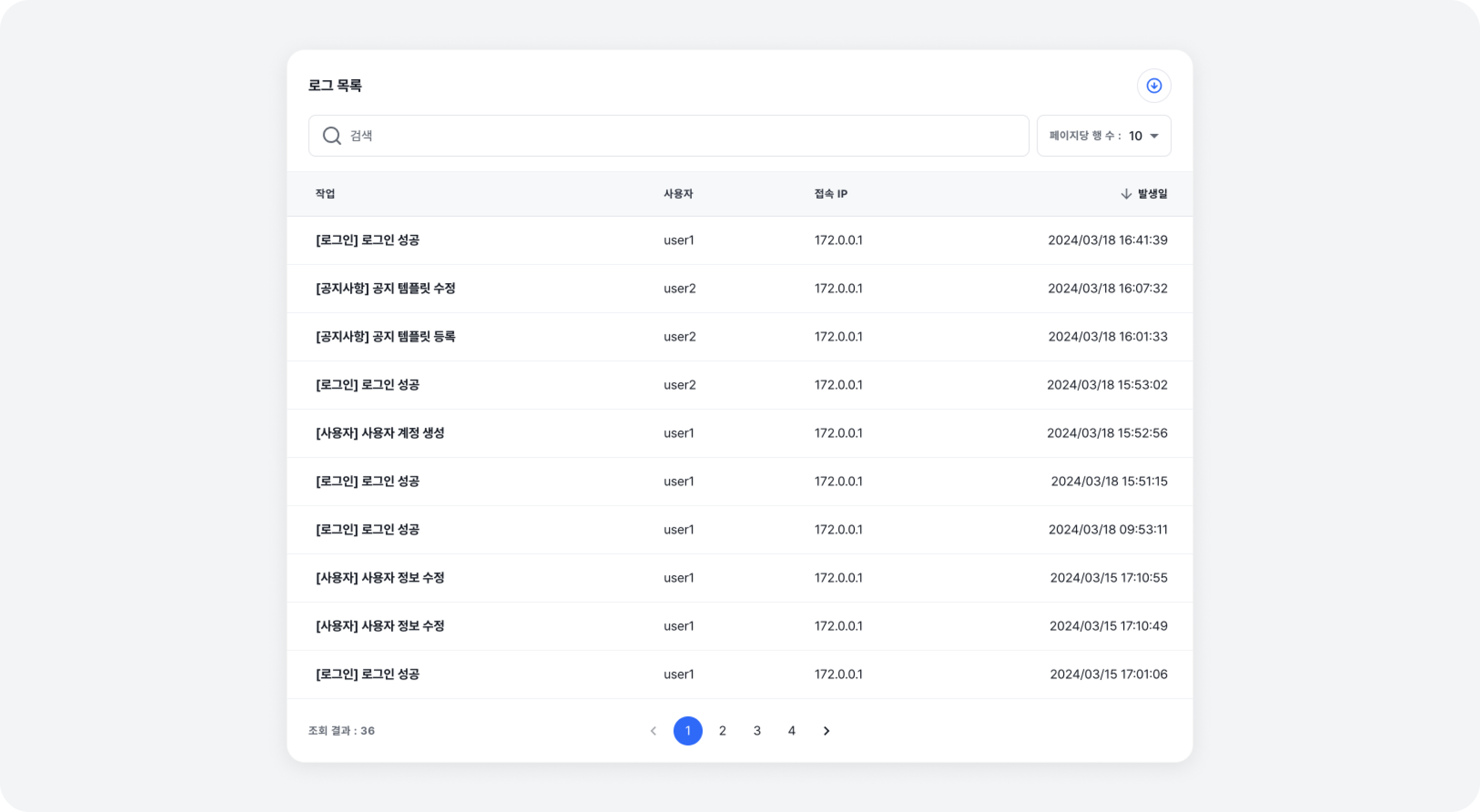
On the right, you can see the list of audit logs that have occurred. Click on an audit log row in the list to view the detailed contents of an audit log on a drawer.
Filter
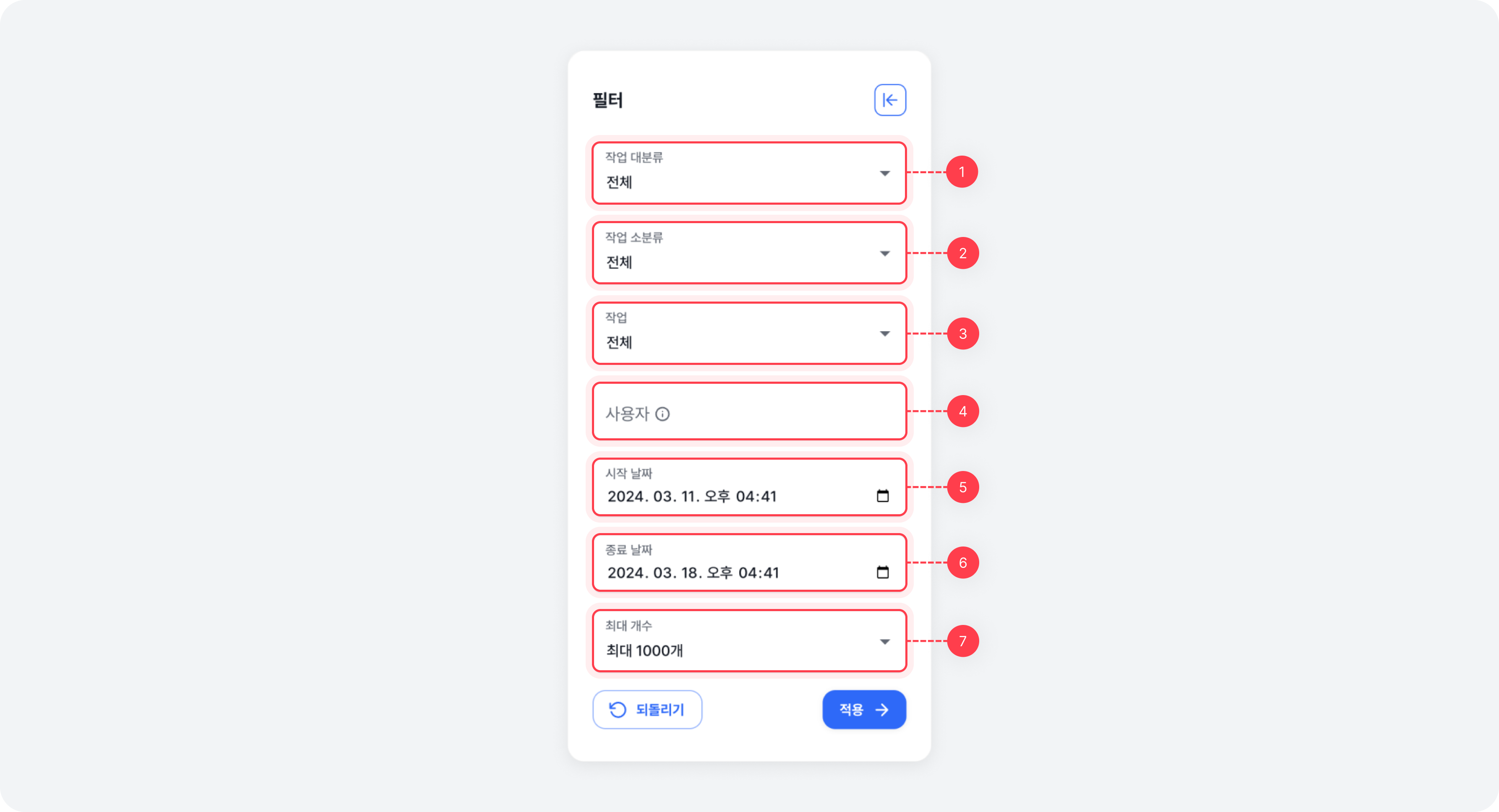
Use the filters on the left to filter audit logs by the information you want. Select the desired filter category and click the [Apply] button to view the filtered audit logs.
| Filter | Description |
|---|---|
| ⓵ Activity Major Category | The major category of the activity |
| ⓶ Activity Minor Category | Search audit logs by a minor category within the major category |
| ⓷ Activity | Search by a specific activity |
| ⓸ User | Search by a user that generated audit logs (exact username is required) |
| ⓹ Start date | The start date for the audit log search |
| ⓺ End date | The end date for the audit log search |
| ⓻ Limit | The maximum number of audit logs to retrieve |
Audit Logs List
You can view the audit logs of activities that have occurred in Felice.
Info
- Just the viewing does not generate an additional audit log. Only the creating, modifying, and deleting activities are recorded.
- Audit logs are kept for up to 7 days and can be viewed on dashboard.