Predefined Values
Predefined values are values defined in advance that will be replaced in the alarm message content. If predefined values are used, each predefined value entered in the message content will be replaced when the alarm is sent.
Predefined values can be entered in the following situations.
- When entering Creating Custom Recipient Type > Adding Custom Fields > Body Fields, value of the field with String type
- When entering Creating Alarm Rule > Step5: Selecting Recipient & Entering Messages
Predefined values can be entered in message detailed settings, using keywords that include double curly bracket pairs ( {{...}} ). When you enter double curly brackets in the message content, a Predefined Value Input Form will be displayed, allowing you to select and enter the desired predefined values conveniently using arrow keys.
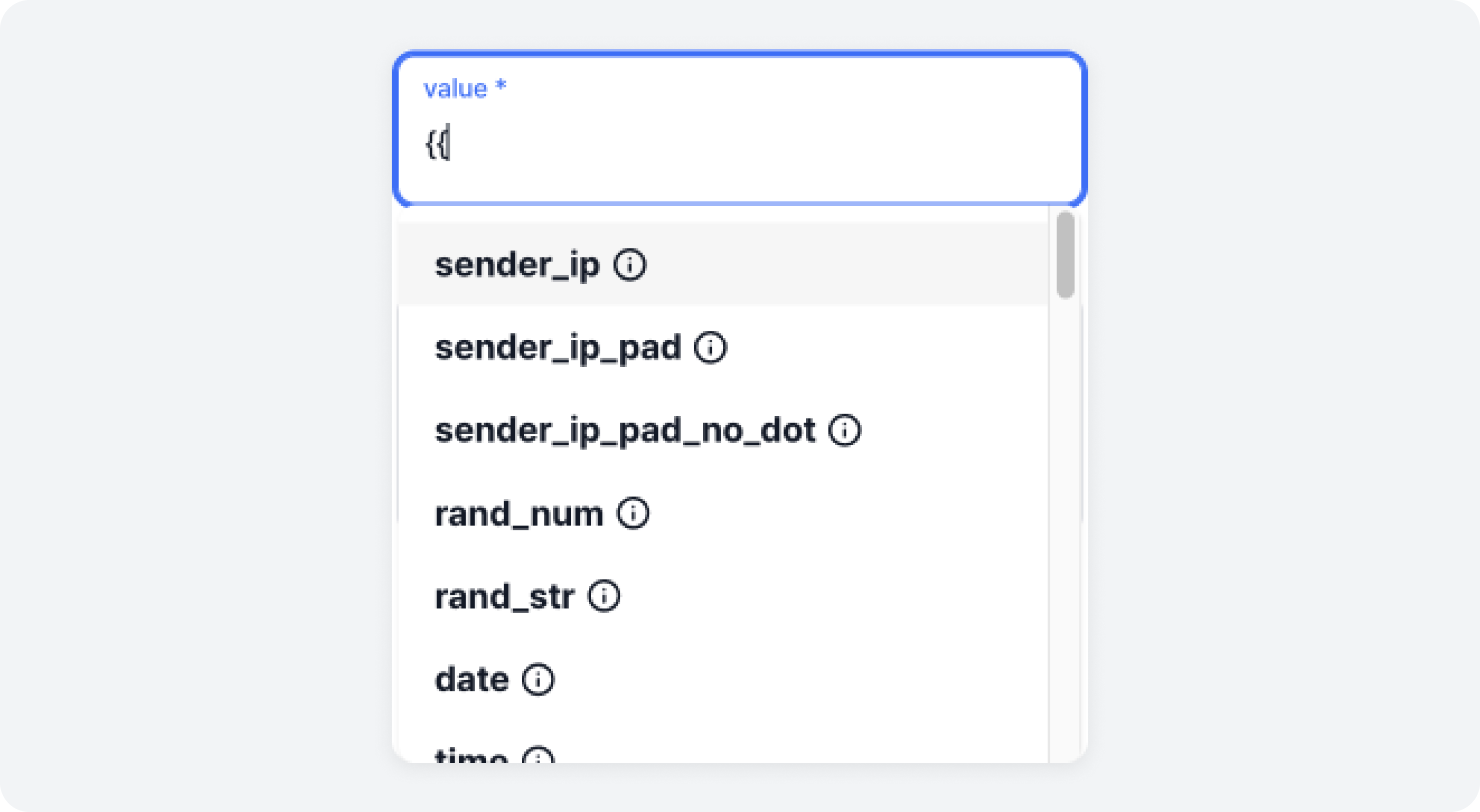
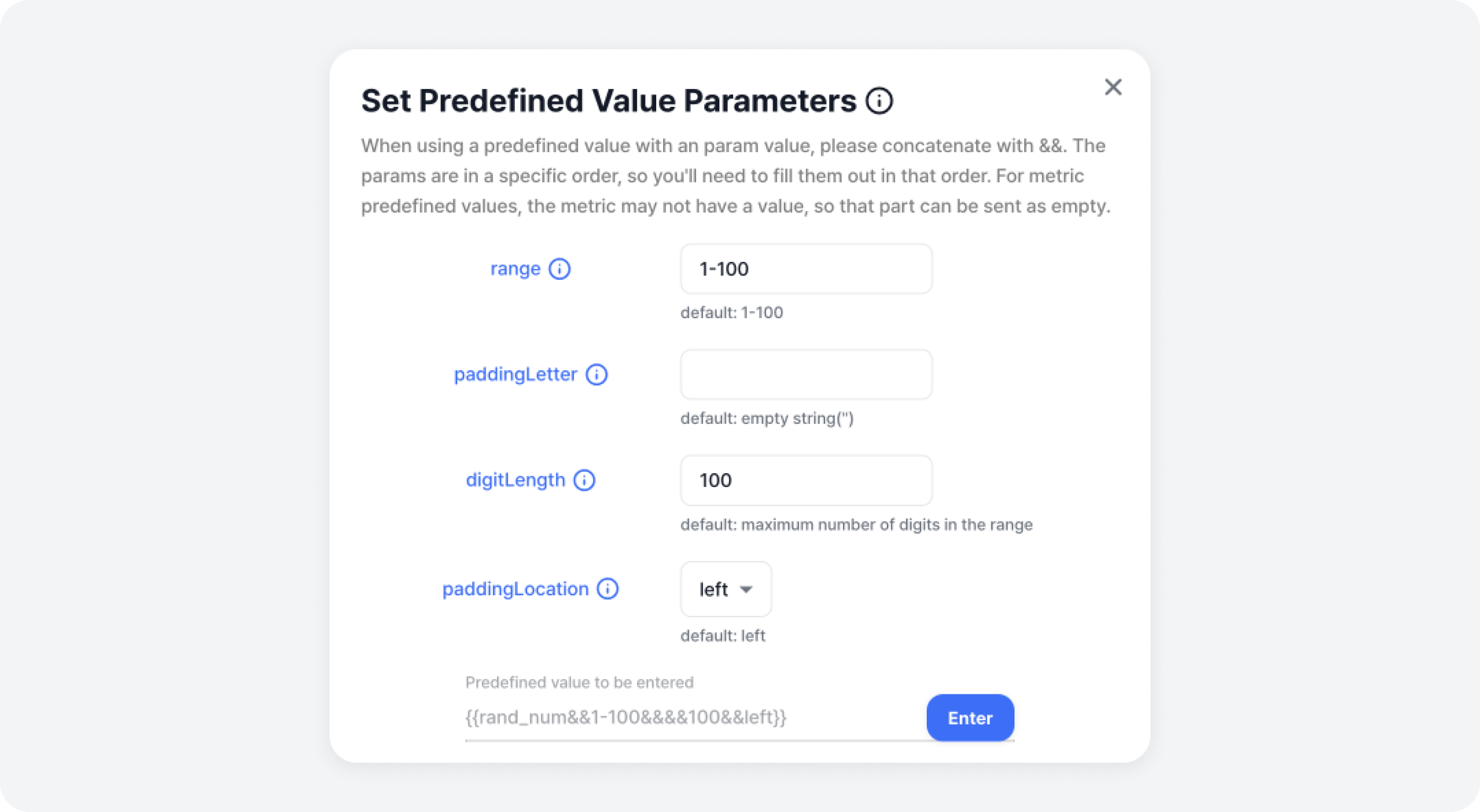
Certain predefined values require parameter settings. For predefined values that require parameters, selecting them in the predefined value input form will display the Set Parameters Modal.
While you could directly type in predefined values such as {{rand_num}}, specifying parameters could be challenging in this case. Therefore, it is recommended to use the Predefined Value Input Form mentioned earlier to enter values, if possible.
Predefined Value List
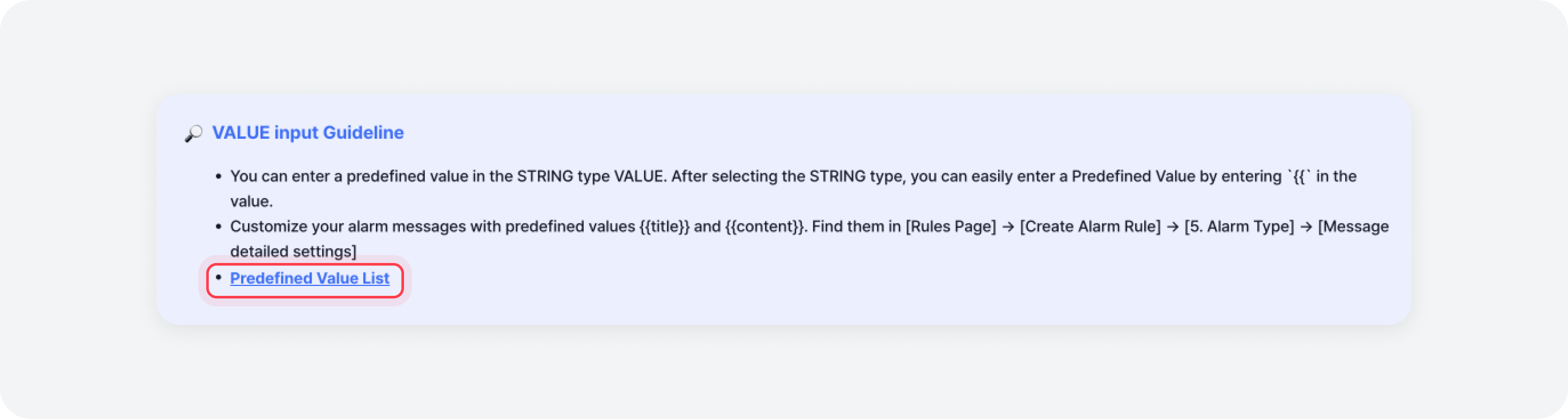
Click the Predefined Value Input Form > [VALUE Input Guideline] button to display the modal listing available predefined values. Refer to the model contents below.
There are two types of predefined values.
- Default: Predefined values that are used in common, regardless of Metrics Assigned to Alarm Rules
- Metric: Predefined values related to the conditions where metrics assigned to alarm rules have been met (Note, if a predefined value not provided by the metric is used, that value will be replaced with N/A when the alarm is sent.)
Default Predefined Value
| Value | Description | Parameter O/X | Parameter |
|---|---|---|---|
| {{sender_ip}} | IP of the system sending the initial request | X | |
| {{sender_ip_pad}} | IP of the system sending the initial request. Add padding string to 3 digits per octet unit | X | |
| {{sender_ip_pad_no_dot}} | IP of the system sending the initial request. Add padding string to 3 digits per octet unit. Remove octet separator (.) | X | |
| {{rand_num}} | Random number generation. The default value is to generate numbers between 1 and 100 | O | - range: The range of numbers to be randomly generated, enter them in min and max order. (default: 1-100) - paddingLetter: You can add Padding Letter before or after the randomly generated number. (default: empty string('')) - digitLength: Enter the total number of digits to be generated, including numbers and padding. (default: maximum number of digits in the range) - paddingLocation: Choose whether to put the padding before (left) or after (right) the randomly generated number. (default: left) |
| {{rand_str}} | Random string generation. The default value is a 16-character string creation using upper and lower case letters | O | - strLength: The length of the string to be randomly generated. (default: 16) - stringType: You can select the type of character included in the string to be randomly generated. Enter 'upper' / 'lower' / 'num' / 'sp' in combination with +. (default: upper+lower) |
| {{date}} | Create current date | O | - format: You can specify the format to express the date in. (default: yyyyMMdd) - timeZone: You can specify which region's date to print. (default: system timezone) |
| {{time}} | Create current time | O | - format: You can specify the format to express the time in. (default: HHmmss) - timeZone: You can specify which region's time to print. (default: system timezone) |
| {{datetime}} | Create current date/time | O | - format: You can specify the format to express the date/time in. (default: yyyyMMddHHmmss) - timeZone: You can specify which region's date/time to print. (default: system timezone) |
| {{timestamp}} | Timestamp creation | X | |
| {{null}} | Null handling | X | |
| {{empty}} | Empty string ('') | X | |
| {{blank}} | Spaced string (white space) | X | |
| {{unknown}} | Unknown string | X |
Metric Predefined Value
| Value | Description | Parameter O/X | Parameter |
|---|---|---|---|
| {{title}} | Subject of alarm message | X | |
| {{content}} | Contents of alarm message | X | |
| {{trigger_value}} | The trigger value you set in the alarm rule | X | |
| {{component}} | Component | X | |
| {{component_metric}} | Component metric | X | |
| {{kafka_cluster}} | Triggered cluster at 'Broker disk skewed' | X | |
| {{cluster}} | Triggered cluster | X | |
| {{brokerId}} | Broker ID | X | |
| {{kafka_job}} | Job at 'Broker disk skewed' | X | |
| {{job}} | Job | X | |
| {{partition}} | Partition | X | |
| {{topic}} | Topic name | X | |
| {{consumer_group}} | Consumer group | X | |
| {{quantile}} | Quantile | X | |
| {{request}} | Request method | X | |
| {{zookeeper}} | ZooKeeper IP | X | |
| {{schemaRegistry}} | Schema registry IP | X | |
| {{connect}} | Connect IP | X | |
| {{connector}} | Connector | X | |
| {{status}} | Connector status | X | |
| {{task}} | Connector task | X | |
| {{value}} | Alarm occurrence value | X | |
| {{starts_at}} | Triggered start time | O | - format: You can specify the format to express the date/time in. (default: yyyyMMddHHmmss) |
| {{ends_at}} | Triggered end time | O | - format: You can specify the format to express the date/time in. (default: yyyyMMddHHmmss) |