History
You can view all alarm history in detail, and by various filters. The alarm history is stored for a maximum of 7 days, and will be deleted sequentially after 7 days, so please be aware.
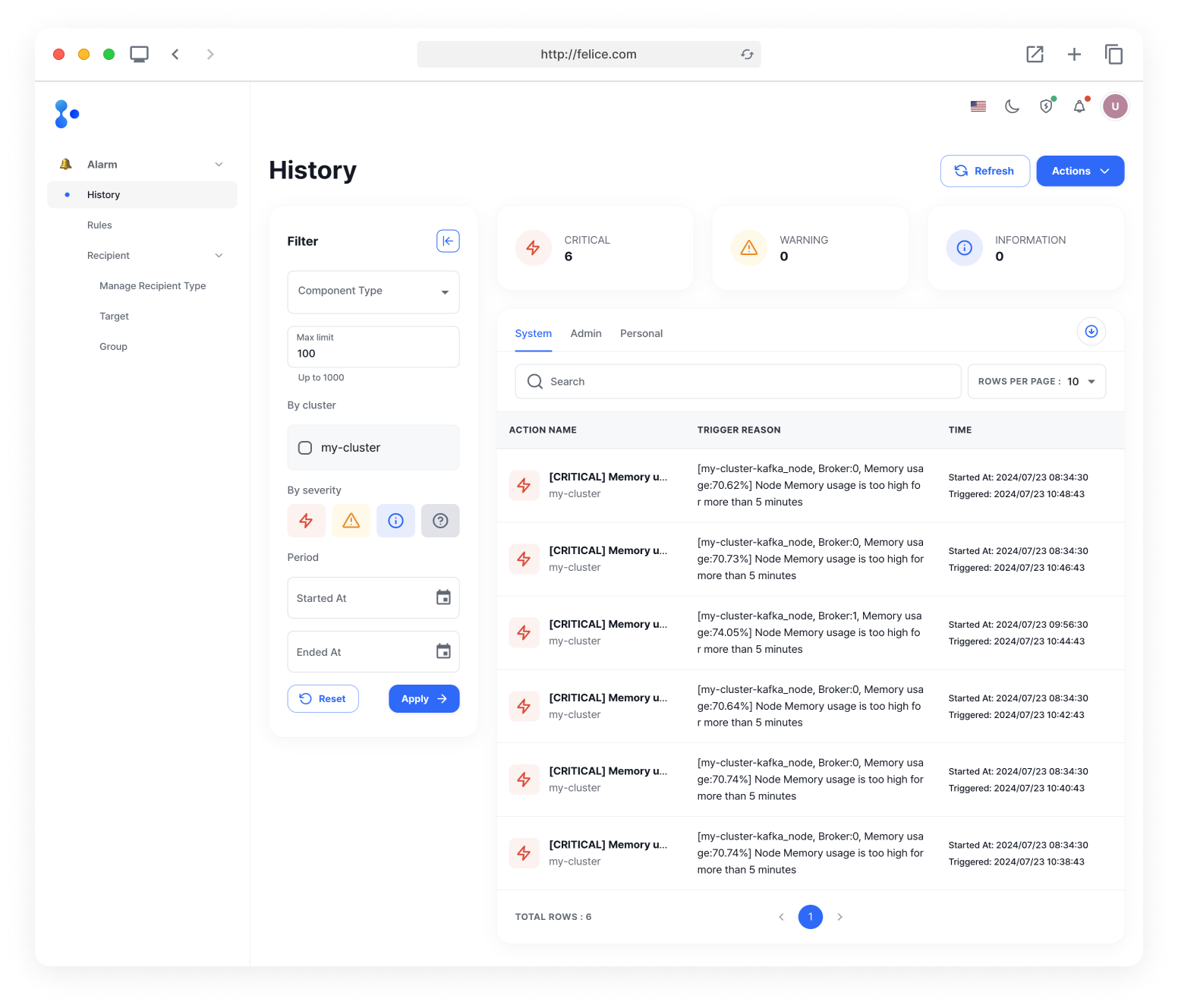
Filter
You can filter the alarm history by using the filters on the left. Enter the information you wish to filter by, and click on the [Apply] button to view the filtered alarm history.
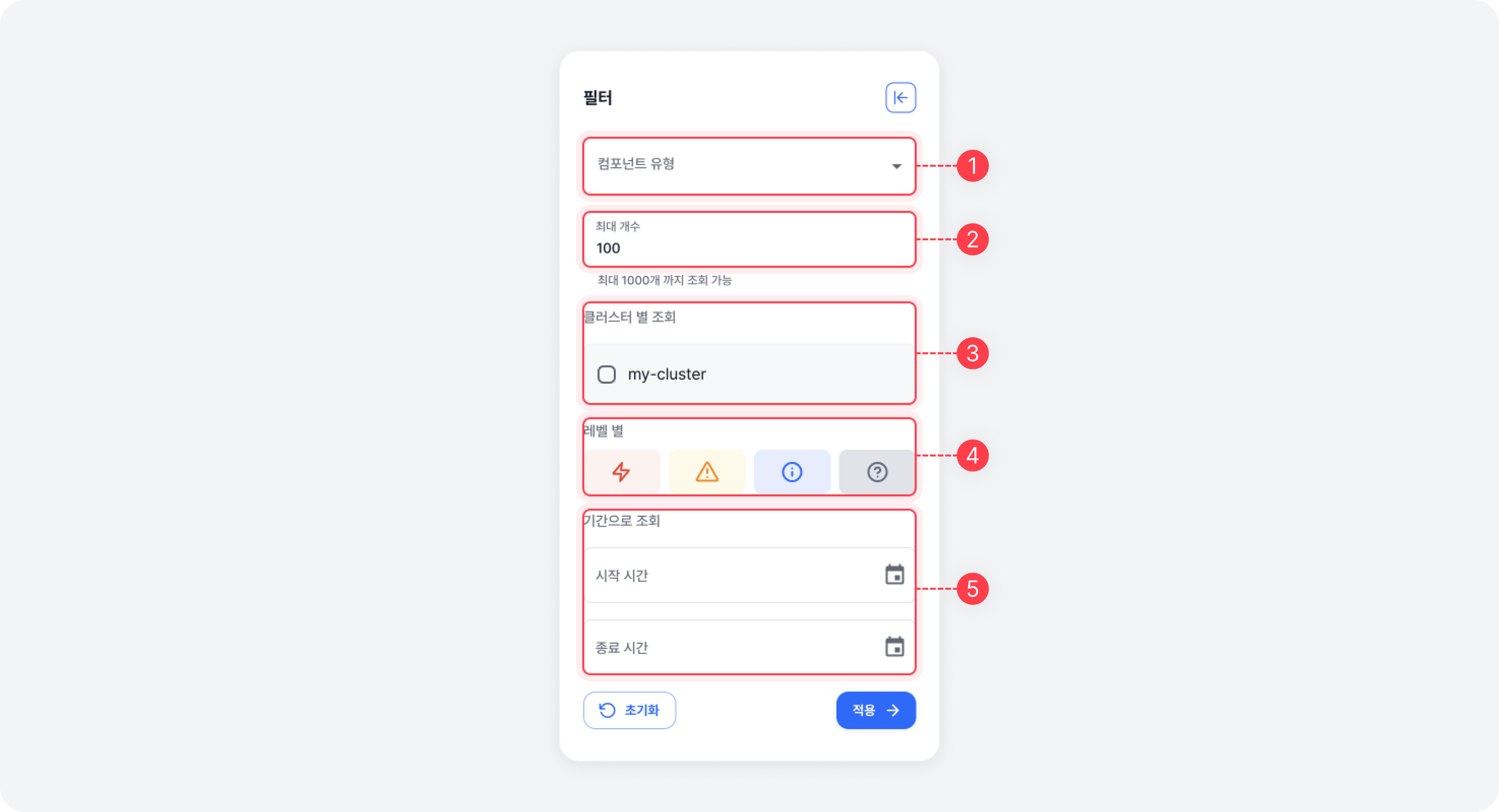
| Filter | Description |
|---|---|
| ⓵ Component Type | View alarm history generated by the metric's component type |
| ⓶ Max Limit | The maximum number of alarm histories to retrieve at once (up to 1000) |
| ⓷ By Cluster | View alarm history generated by the selected cluster (if not selected, all clusters are displayed) |
| ⓸ By Severity | View alarm history by their severity |
| ⓹ Period (Start/End Date) | View alarm history generated during the specified period |
When viewing the alarm history filtered by period, an error will occur unless both the starting date and the ending date are entered.
Filter values are reset when you move to other alarm rule tabs.
Refreshing Alarm History
The alarm history is fetched from the server only when you have entered the page or have applied a filter. If you would like to check the newly generated ones, click on the [Refresh] button at the top right of the History page to view the latest alarm history.

Deleting Alarm History
You can delete an alarm history by clicking [Actions > Delete History] button at the top right of the History page. System alarms and Personal alarms can be deleted separately, and deleting system alarm history will also delete the history generated by cluster.
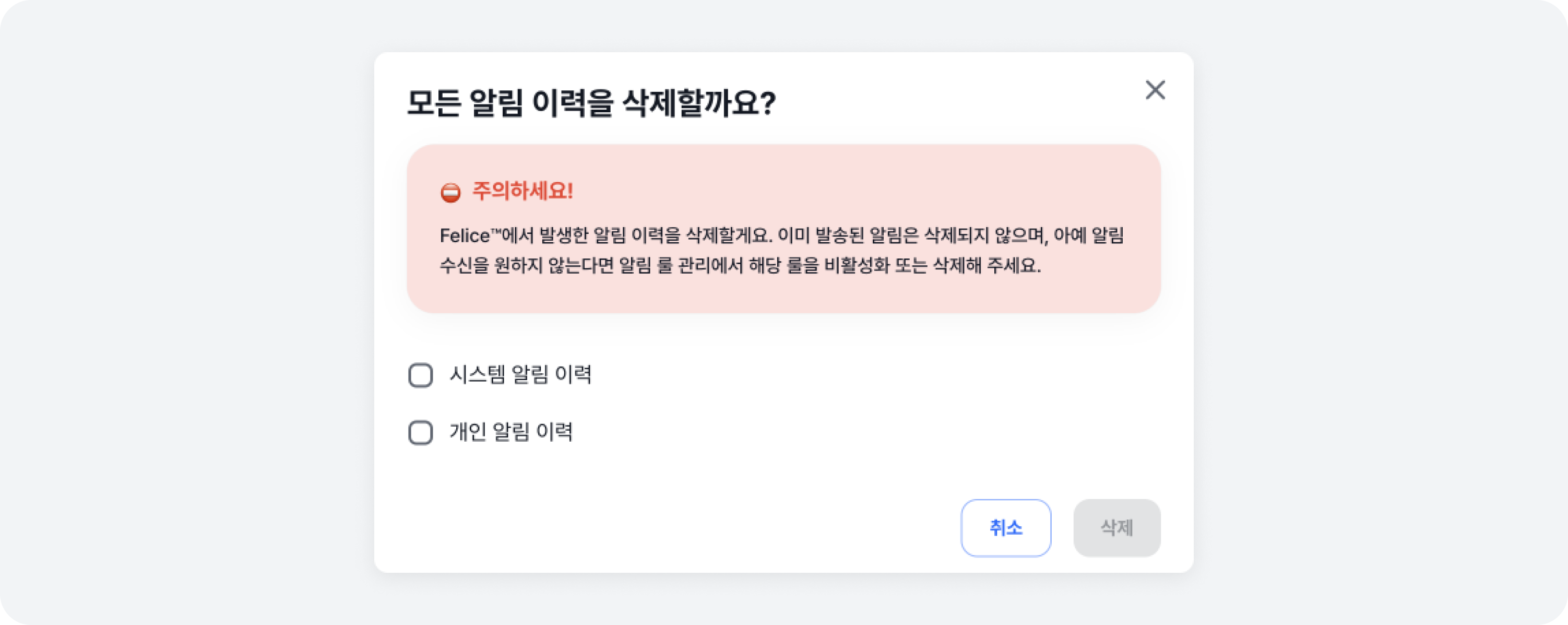
The Delete Alarm History feature only deletes the alarm history stored within Felice, and not the alarms that have already been sent to recipients. If you want to stop receiving alarms for a specific alarm rule, please deactivate or delete the corresponding alarm rule in the Rules tab.