Partition Jobs
You can check the detailed list of topic-partitions that are currently being moved when a partition job is in progress.
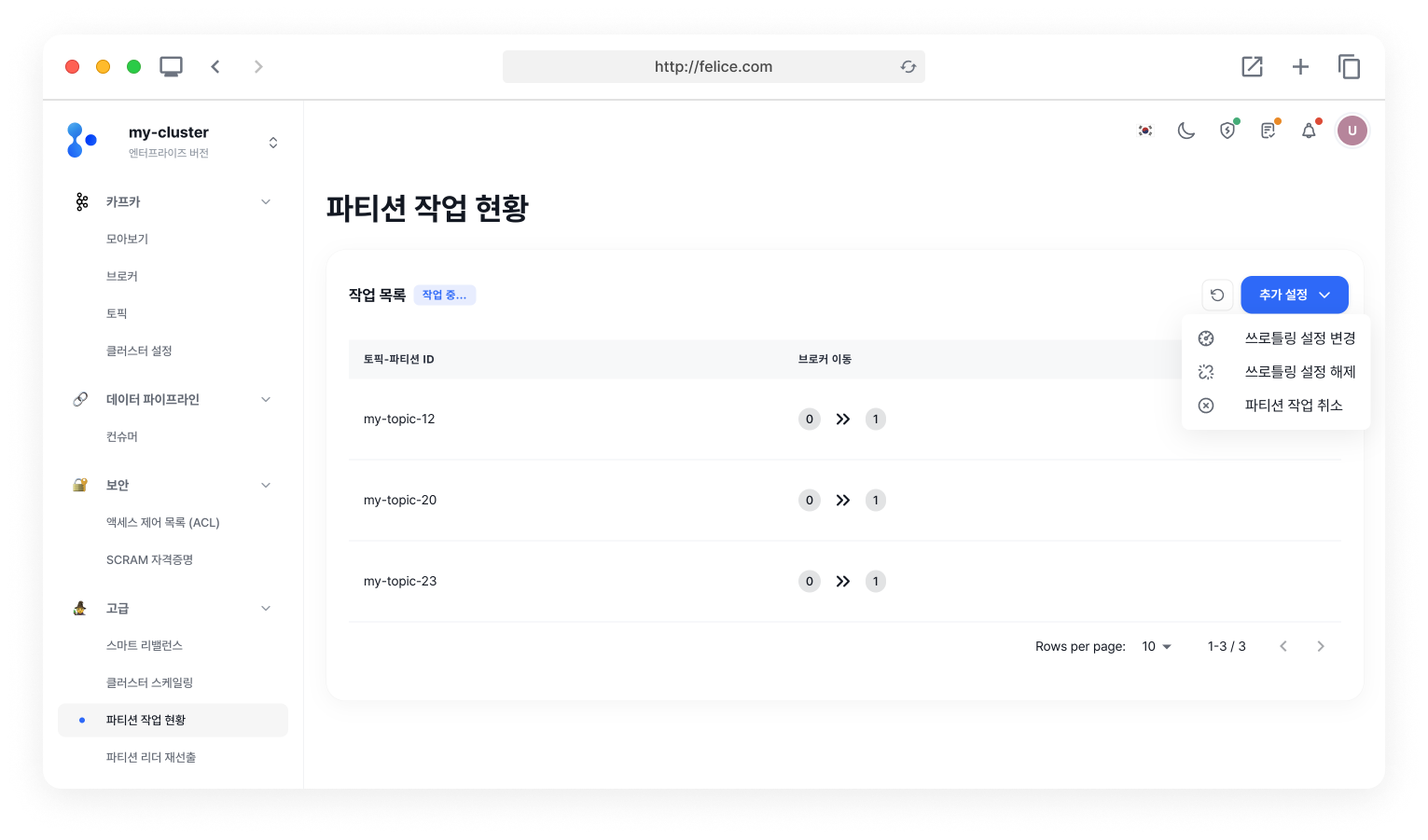
Setting Throttling
In Partition Jobs, you can set or change throttling settings. First, click on the [Actions > Change Throttling Settings] button to open the modal.
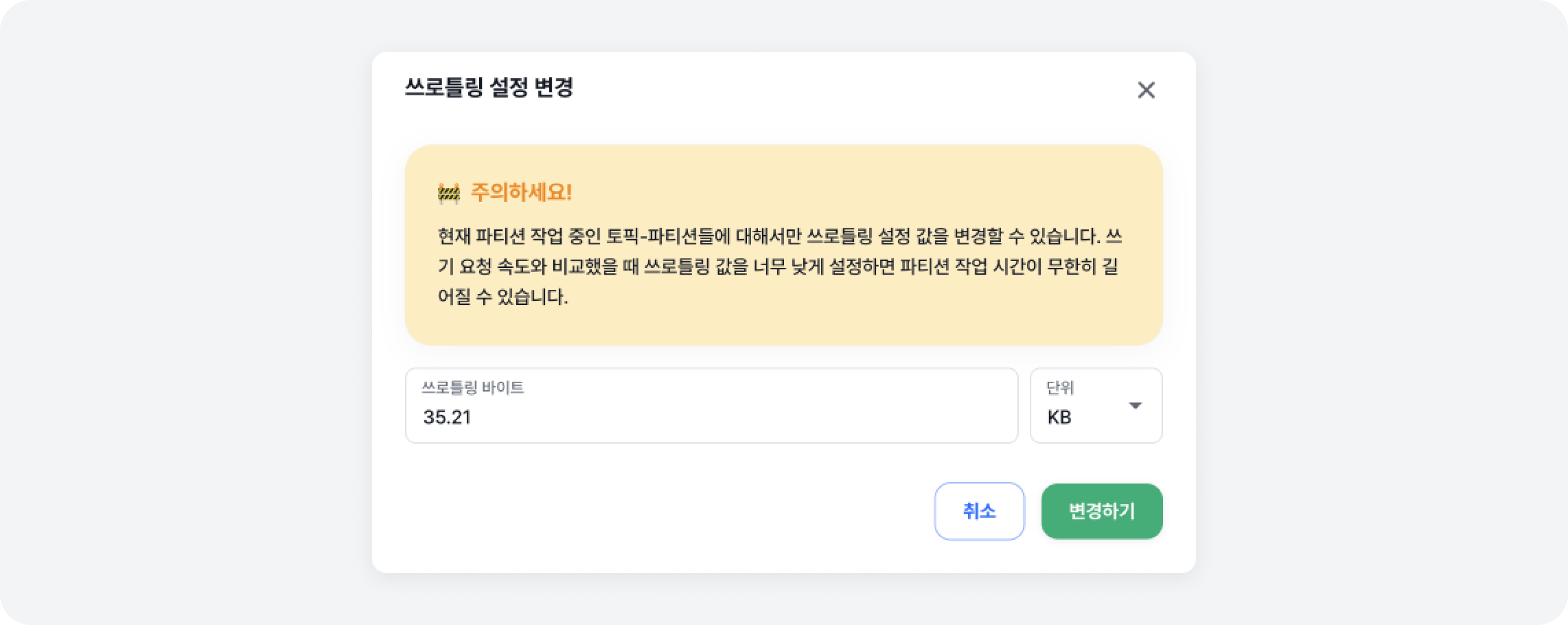
After entering the throttling value you want to change, click the [Change] button to apply the value.
Note that you can only change throttling settings for the topic-partitions that you are currently working on partitioning.
Disabling Throttling
In Partition Jobs, you can disable throttling settings. First, click the [Actions > Disable Throttling Settings] button to open the modal.
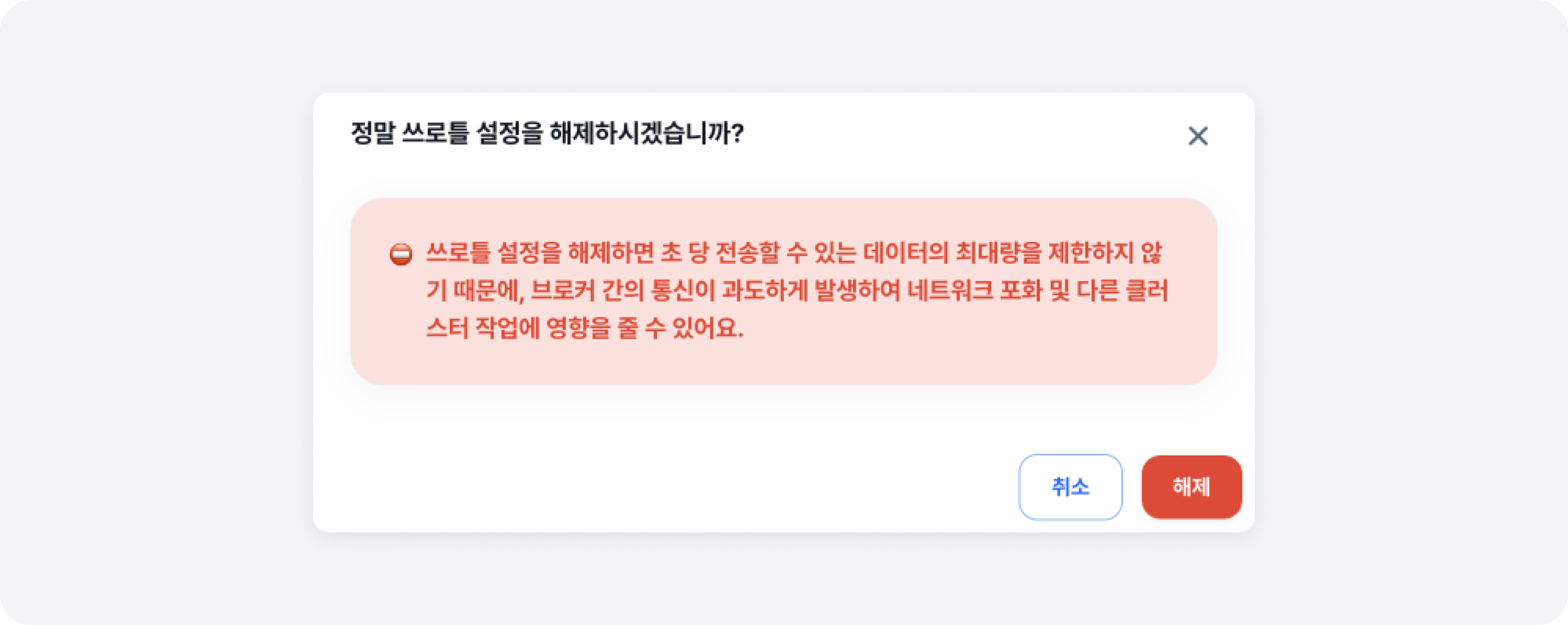
When you click the [Disable] button, applied throttling settings will be disabled.
If you disable throttling, bandwidth usage can increase significantly depending on the amount of partition reassignment, which can saturate the network and affect other cluster operations.
Canceling Partition Jobs
In Partition Jobs, you can cancel partition movement operations. First, click the [Actions > Cancel Partition Jobs] button to open the modal.

When you click the [Cancel All Jobs] button, partition movement operations are canceled.
Canceling partition jobs will cancel any partition operations that are currently in progress. Since it is not an revert operation though, partition operations that have already been completed will not be canceled.