Overview
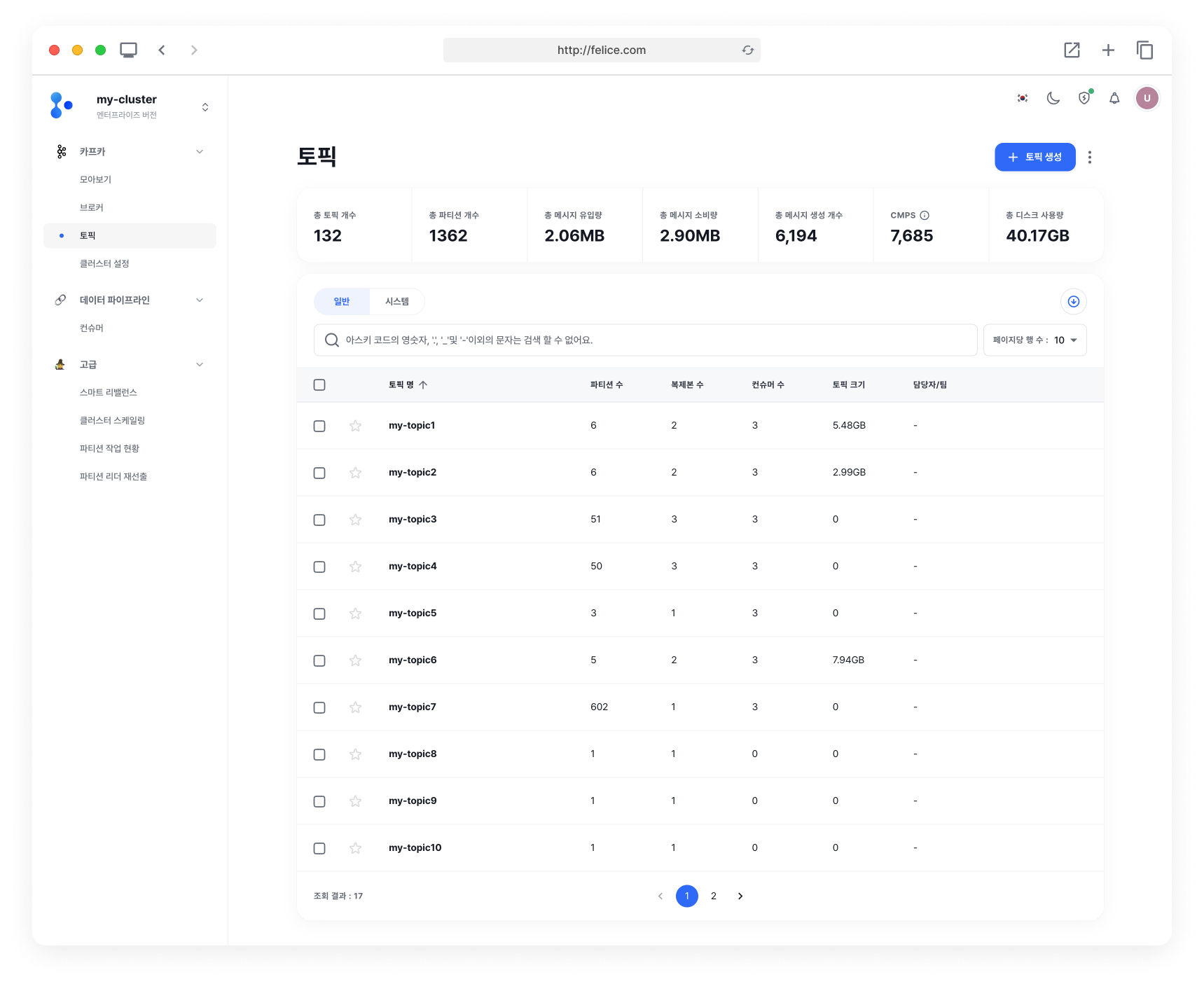
Metric Overview
You can view key metrics for all topics at a glance.
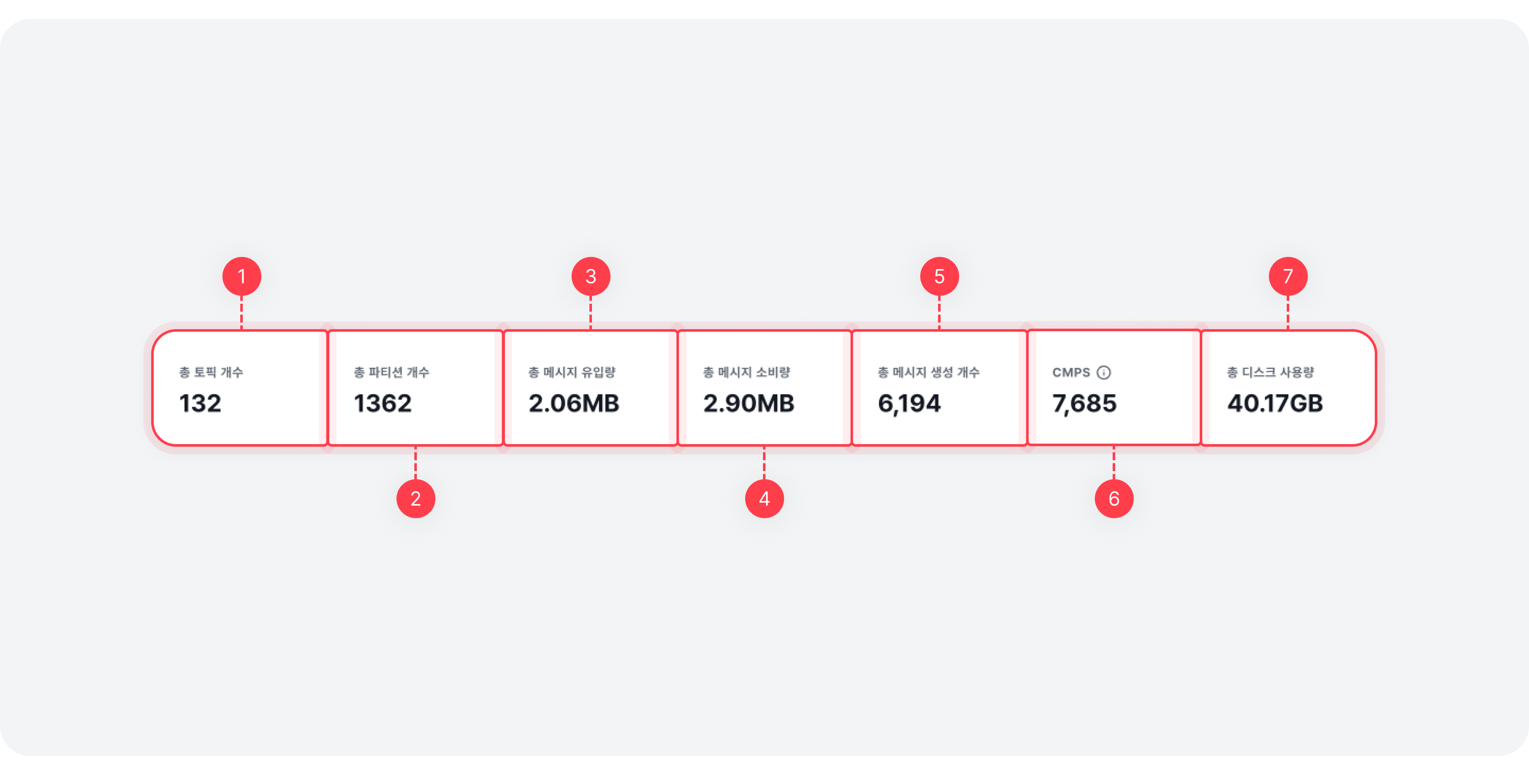
| Item | Description |
|---|---|
| ⓵ Topics | Total number of topics in the cluster |
| ⓶ Partitions | Total number of topic partitions in the cluster |
| ⓷ Producing | Total message production rate per second (in bytes) for the cluster |
| ⓸ Consuming | Total message consumption rate per second (in bytes) for the cluster (including both Consumer and Follower) |
| ⓹ Messages in | Total number of messages produced per second in the cluster |
| ⓺ CMPS | Total number of messages consumed per second in the cluster |
| ⓻ Disk usage | Total disk usage of all topic partitions in the cluster |
Overall Topics List
You can view the list of all topics. Click on a [Topic Name] in the list to move to the Topic Details. For more details on topics, refer to the Topic Details page.
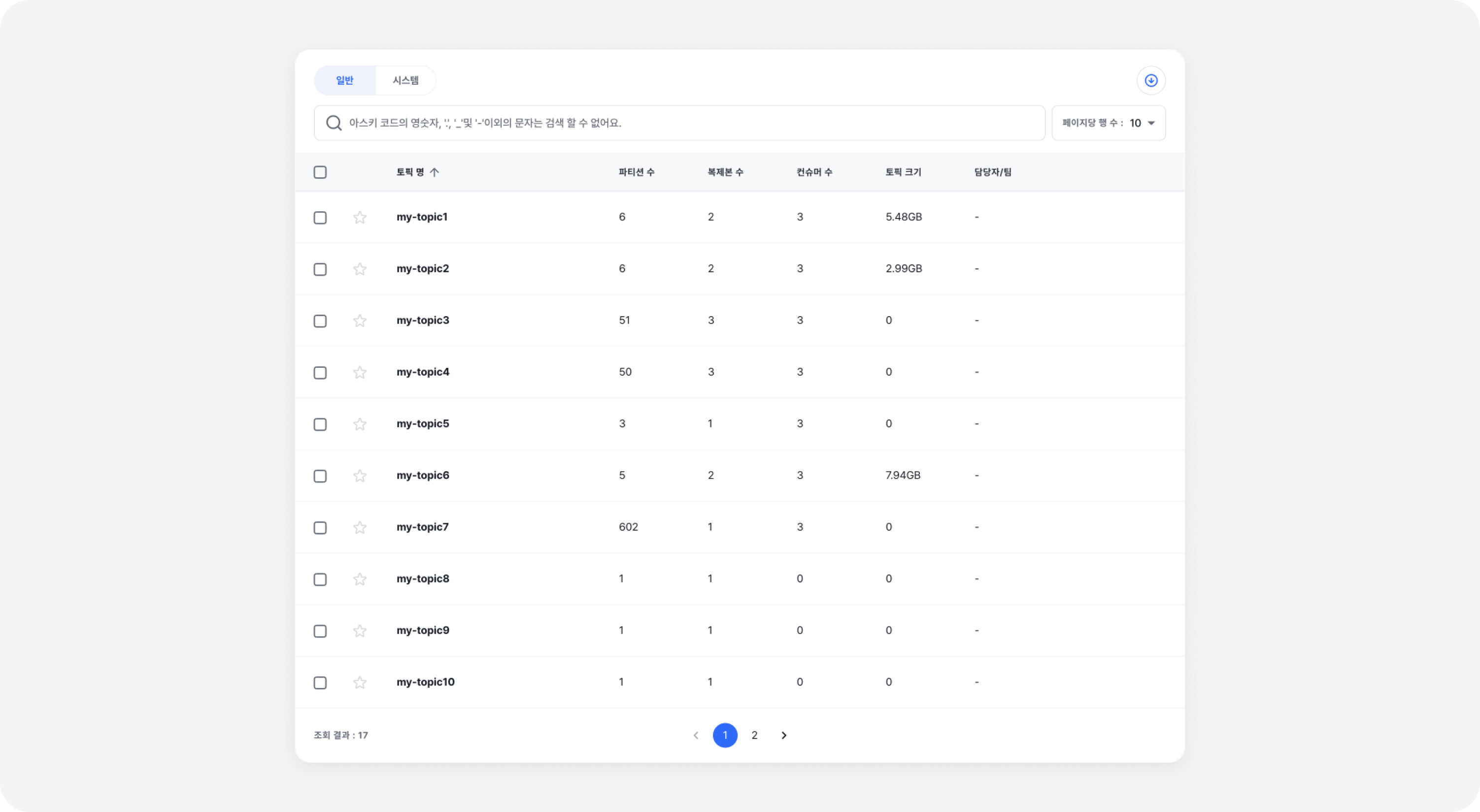
| Content | Description |
|---|---|
| ⓵ Category | Topics used internally by Felice and Kafka are categorized under the System tab, while the other topics are under the General tab |
| ⓶ Search | You can search by topic name and set the maximum number of rows to display |
| ⓷ Topic | The name of the specific topic |
| ⓸ Partitions | The total number of partitions for the specific topic, including replica partitions |
| ⓹ Replication | The setting for the number of replicas of the specific topic (replication-factor) |
| ⓺ Consumers | The number of consumers for the specific topic |
| ⓻ Size | The total disk space used by the specific topic |
| ⓼ Manager | The Manager responsible for the specific topic |
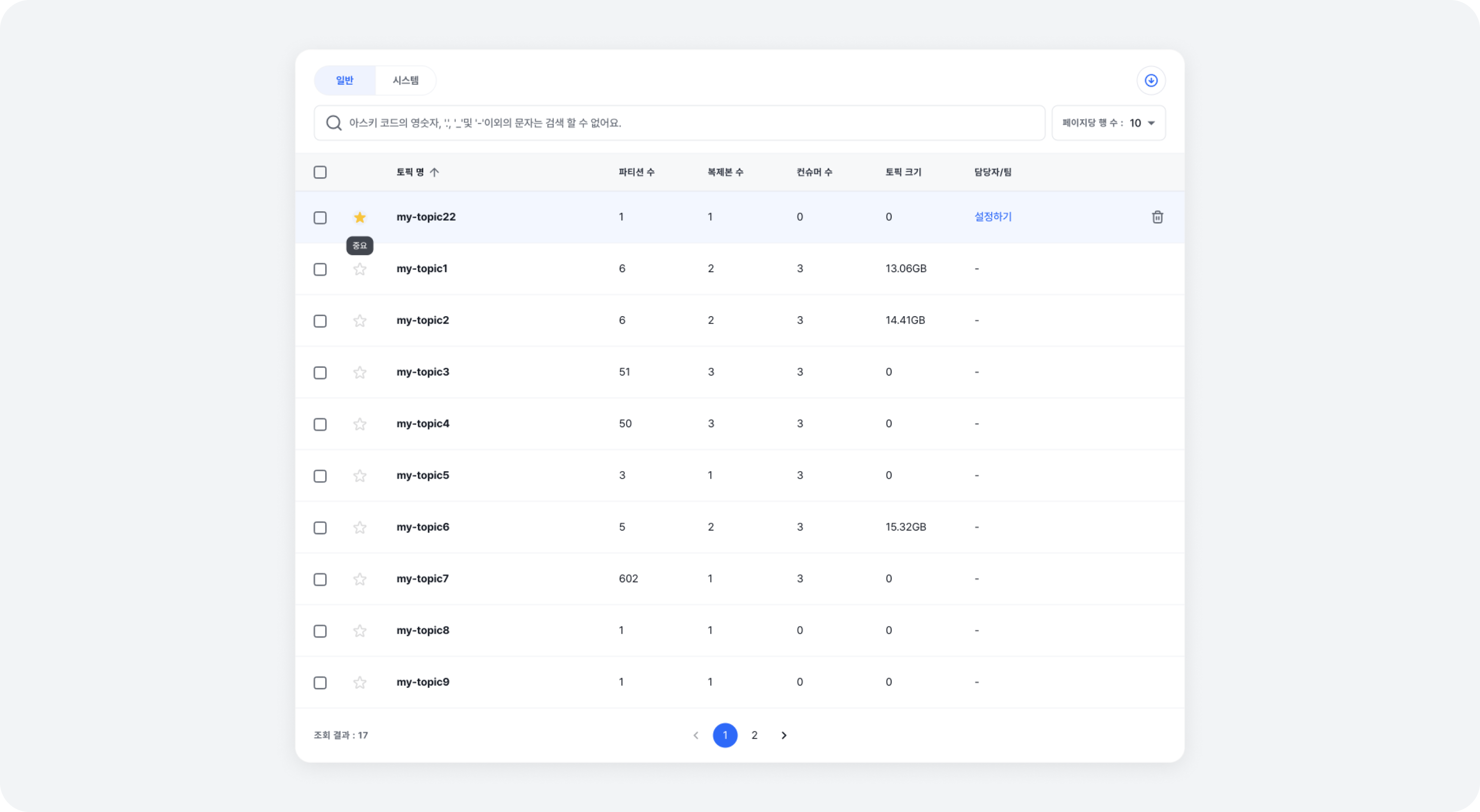
If there are topics that you need to check frequently, try using the [Star] feature. Topics marked as [Starred] will appear at the top of the list.
Creating Topic
You can create a new topic. Click on the [Create Topic] button to access the topic creation page. For more details on topic creation, refer to the Create Topic document.

Uploading Topic Information
You can also upload topic information collectively by using the Upload topic information in the top right corner of the page's hamburger menu. Click on the [Sample file] button to download the Sample CSV File, and fill out the topic information according to the provided format then upload it to register the topics.
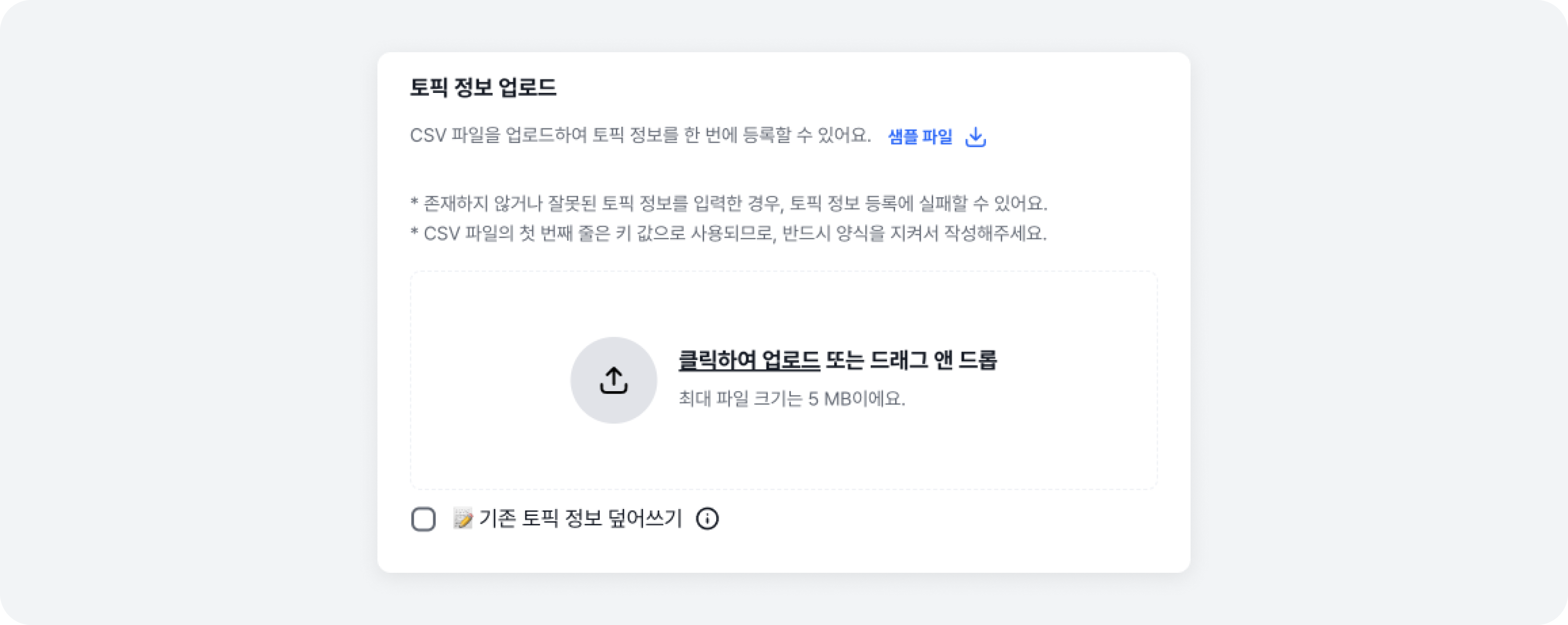
Overwrite Option
If there is an existing topic information, it overwrites that topic information and registers new topic information.
- If non-existent or incorrect topic information is entered, the registration of topic information may fail.
- The first line of the CSV file is used as key values, so please ensure to write it according to the format.
- If a topic doesn't exist in the topic information file you uploaded, it won't create a new topic. Use it if you want to add or update new topic information to an existing topic at once.
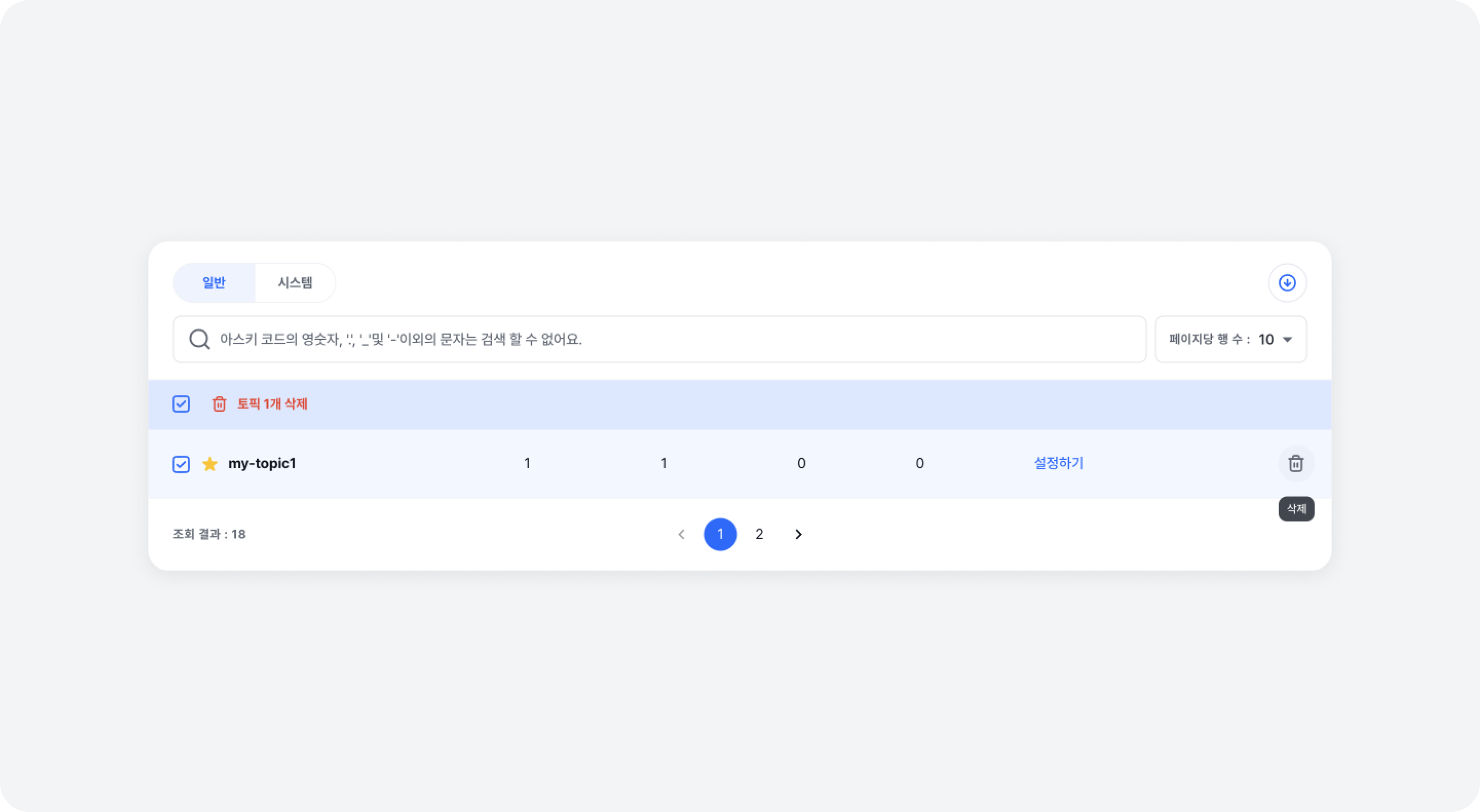
Deleting Topic
Either select the topics to delete then click on the [Delete # Topic] button, or click on the [Trash Can Icon] button that appears on the right of each row when you put your mouse over the list, to delete the selected topics. For more details on topic deletion, refer to the Emptying & Deleting Topic document.