Create Topic
Step1: Entering Topic Information
Please enter in the basic information such as topic name, the team responsible for the topic, manager, description, and tags. Topic Name is a required field, so please make sure to fill it in.
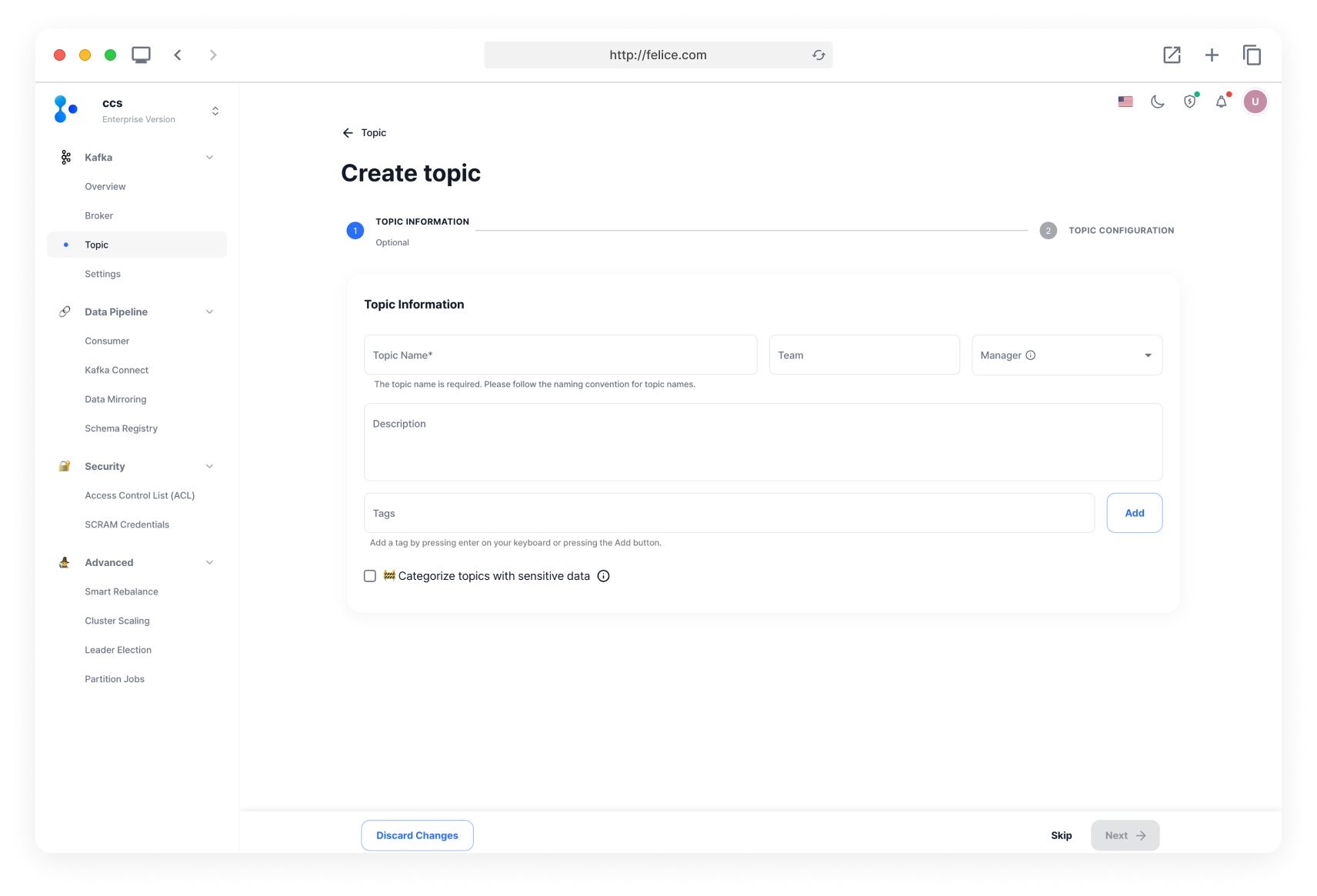
While you may skip entering the Topic information, it is recommended that you do so for easier topic management.
The topic name cannot be changed once it is set. You will have to delete and recreate the topic if you need to change anything, so please name it carefully. Below are some recommended suggestions.
<namespace>.<product>.<event-type><application>-<data-type>-<event-type><organization>.<application-name>.<event-type>.<event><message type>.<dataset name>.<data name><root name space>.<product>.<product specific hierarchy><app type>.<app name>.<dataset name>.<stage of processing><app type>.<dataset name>.<data>
Tip: Names Not Recommended
It is better not to use names that may change over time. Using names that can change, for example like team names or product names, can be problematic since you cannot change them afterwards. Names related to producers or consumers might also change over time, so it is recommended that you do not use them.
Categorize Topics with Sensitive Data
If the topic might contain sensitive data, you can enable the [Categorize Topics with Sensitive Data] checkbox to apply masking rules. For further details on Masking Rules, refer to the Masking Rule document.

Step2: Configuring Topic
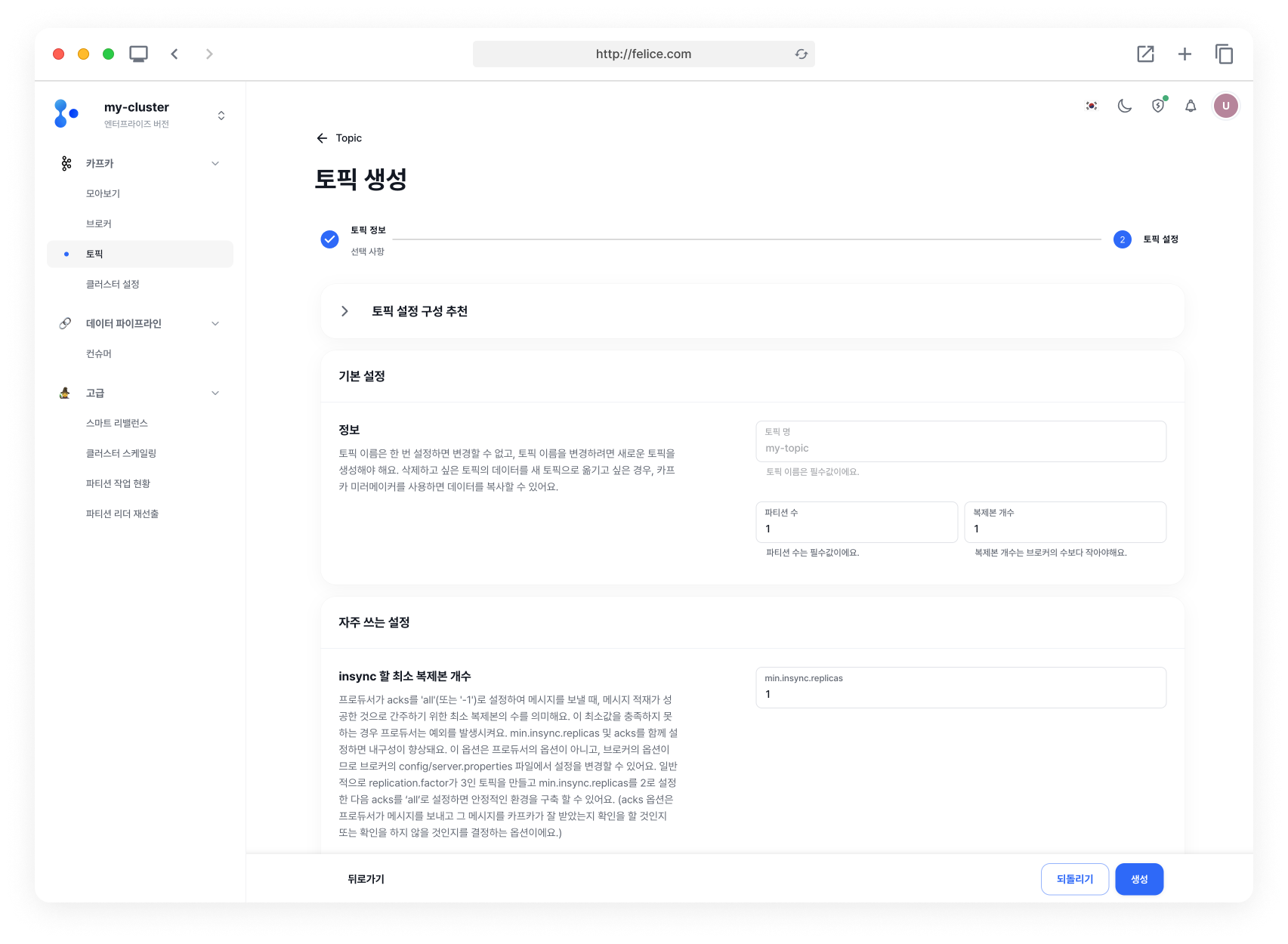
Preset Topic Configurations
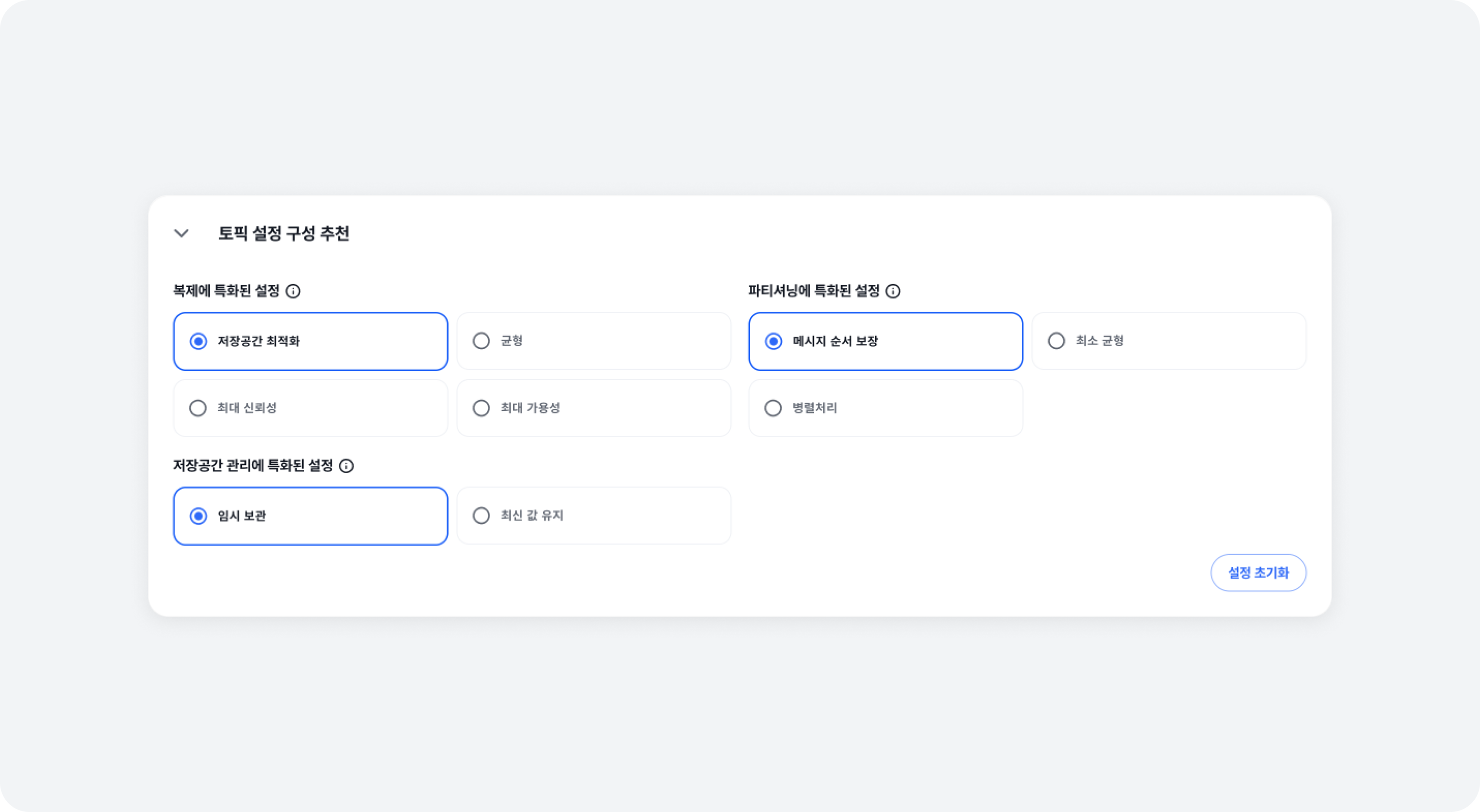
Some configurations that optimize topic settings according to various requirements and purposes are provided.
⓵ Specialized in Replicating
| Config | Description |
|---|---|
| STORAGE OPTIMIZED | replication_factor: 1 min_insync_replicas: 1 |
| NEUTRAL | replication_factor: 2 min_insync_replicas: 1 |
| MAX RELIABILITY | replication_factor: 3 min_insync_replicas: 2 |
| MAX AVAILABILITY | replication_factor: 3 min_insync_replicas: 2 unclean_leader_election_enable: TRUE |
⓶ Specialized in Partitioning
| Config | Description |
|---|---|
| TOPIC-WIDE MESSAGE ORDER | partitions: 1 |
| MINIMUM BALANCING | partitions: # of brokers |
| PARALLELISM SUGGEST | partitions: 3 * # of broker |
⓷ Specialized in Cleaning Up
| Config | Description |
|---|---|
| TEMPORARY KEEP | cleanup_policy:delete retention_bytes:-1retention_ms:604800000 (7day) |
| KEEP LAST VALUE | cleanup_policy:compact |
Basic Settings
All the basic topic settings are provided, and you only need to modify the necessary settings. If needed, refer to the [Preset Topic Configurations] above, to modify the settings.
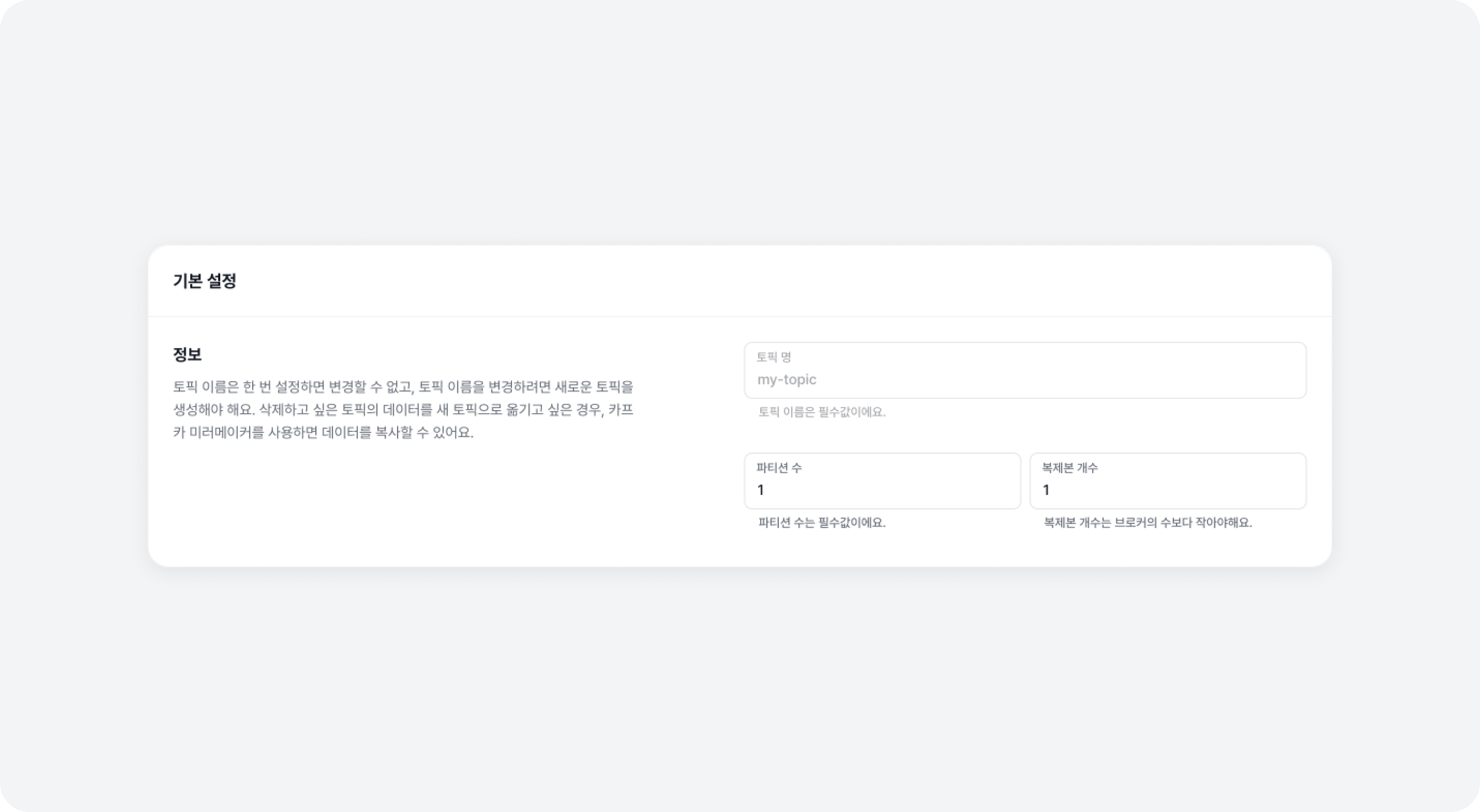
Frequently Used Settings
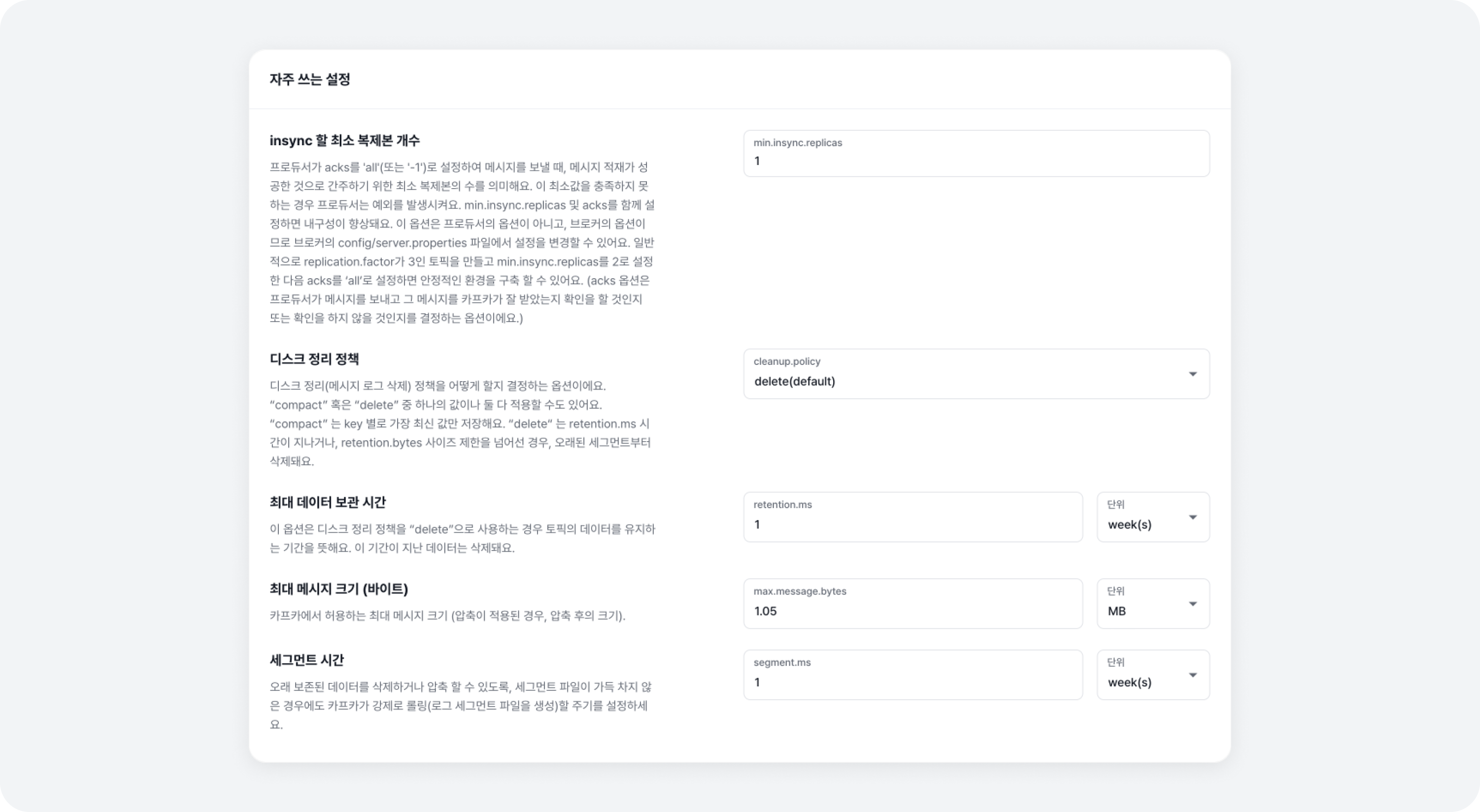
We have compiled the commonly used configurations for creating a topic. You can simply change the settings you need and use the default values for the rest. Other topic settings can be modified after creation in the [Topic > Settings Tab], then the [Advanced Mode] menu.
✨ Now, you can manage and use the created topics from the Topics list!