SCRAM Credentials
Felice provides a Kafka user management system that can view/create/modify SCRAM credentials. However, this feature is available only if the security mechanism of the connected cluster setting is SCRAM-SHA256/SHA512.
SCRAM (Salted Challenge Response Authentication Mechanism) is a type of SASL mechanism that enhances security by improving the traditional username/password method. To verify if the username/password a user entered is correct, the user's credentials are needed, and these credentials must be pre-stored on the server. When using the SCRAM mechanism in Kafka, user credentials are typically stored in the ZooKeeper. For more details on security settings, refer to the Reasons for Cluster Security Settings document.
To manage SCRAM credentials in Felice, go to Security > SCRAM Credentials.
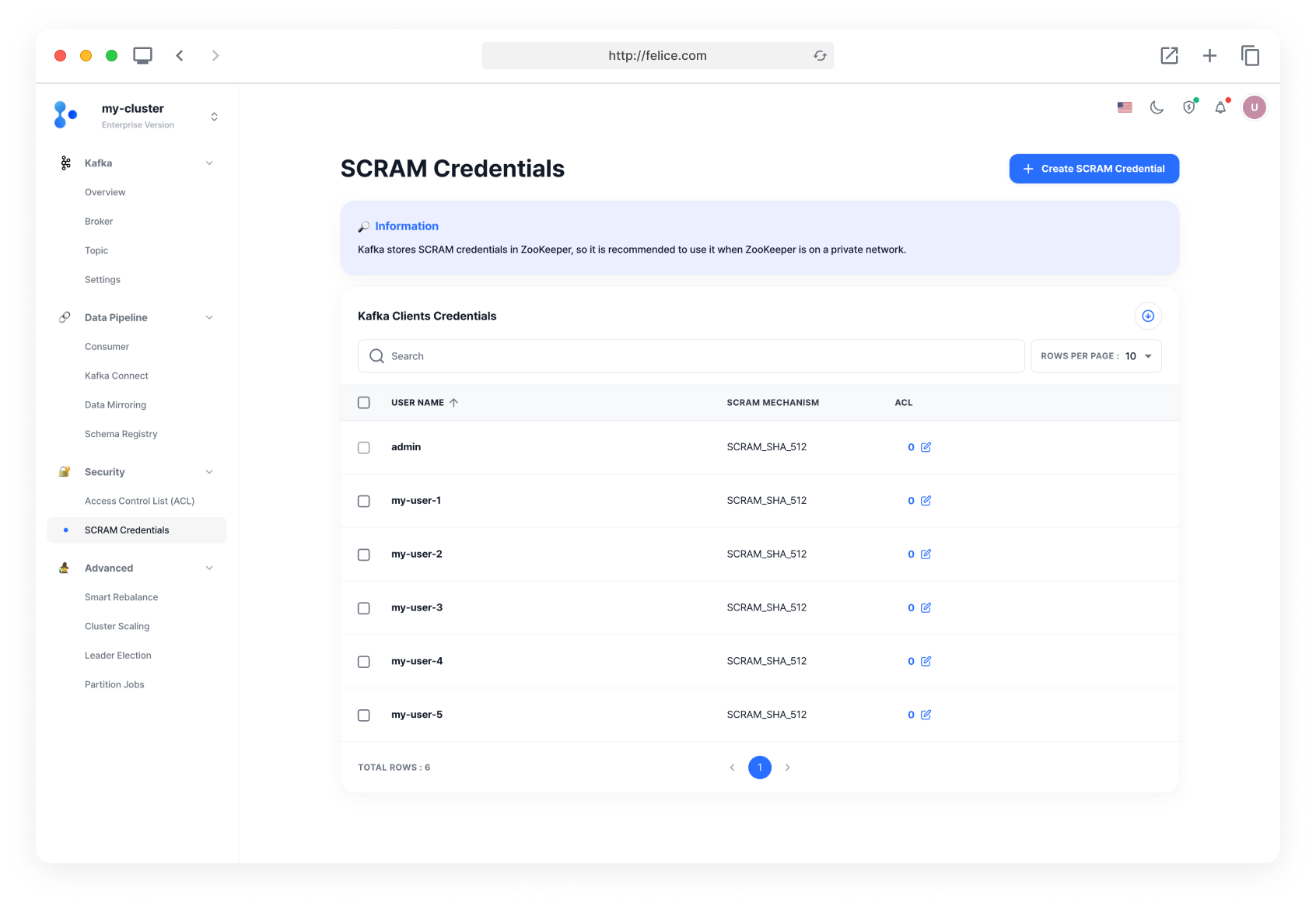
To create a new credential, click the [Create SCRAM Credential] button on the SCRAM Credentials list page, to enter the Create SCRAM Credential page.
Creating SCRAM Credential
Please enter the information for the new credential you are creating.
- User Name
- Password
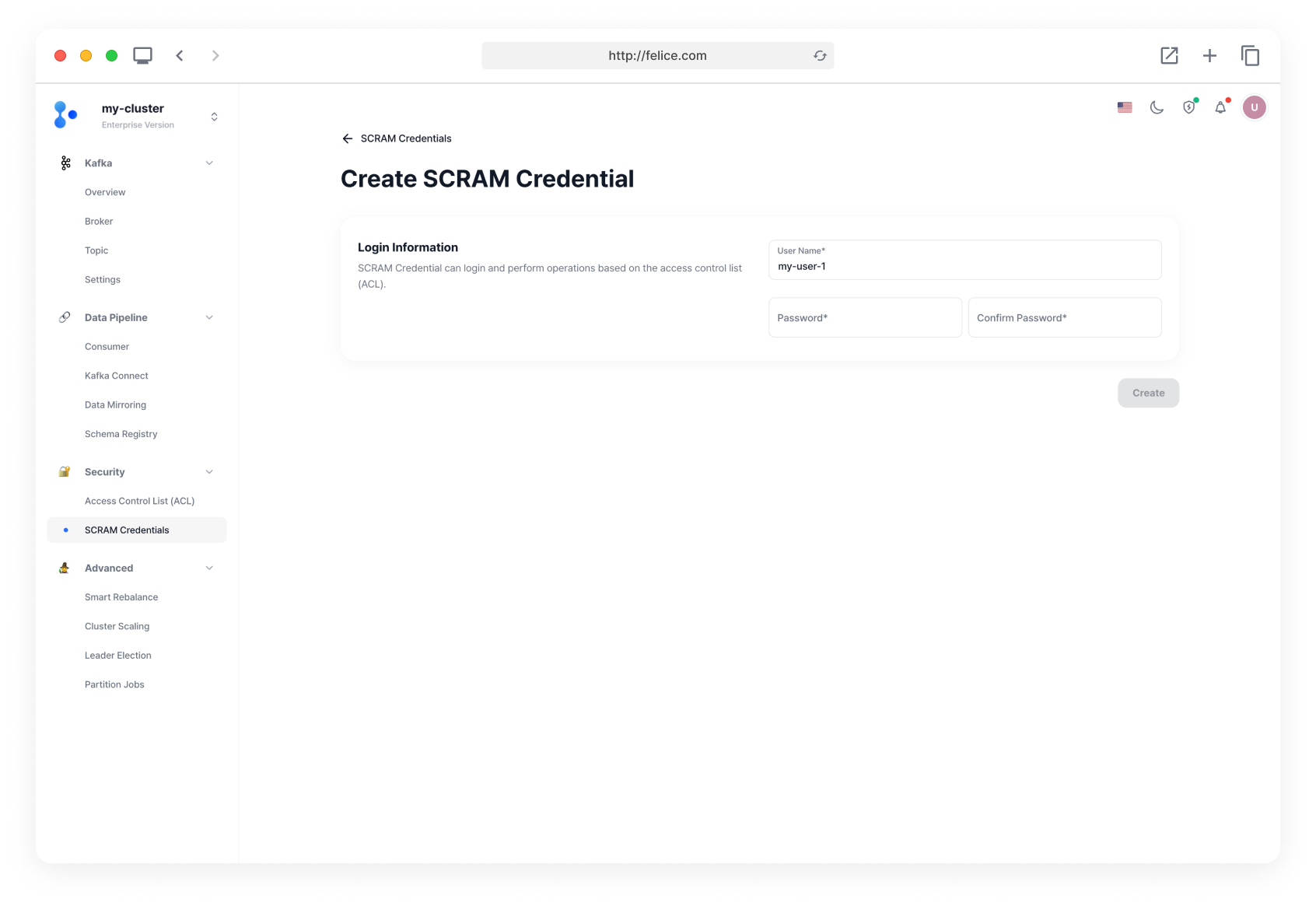
The new credentials are used for configuring client connections to the cluster. Clients that have successfully connected to the cluster can perform operations based on Access Control List (ACL).
Changing User Password
Please enter the new password.
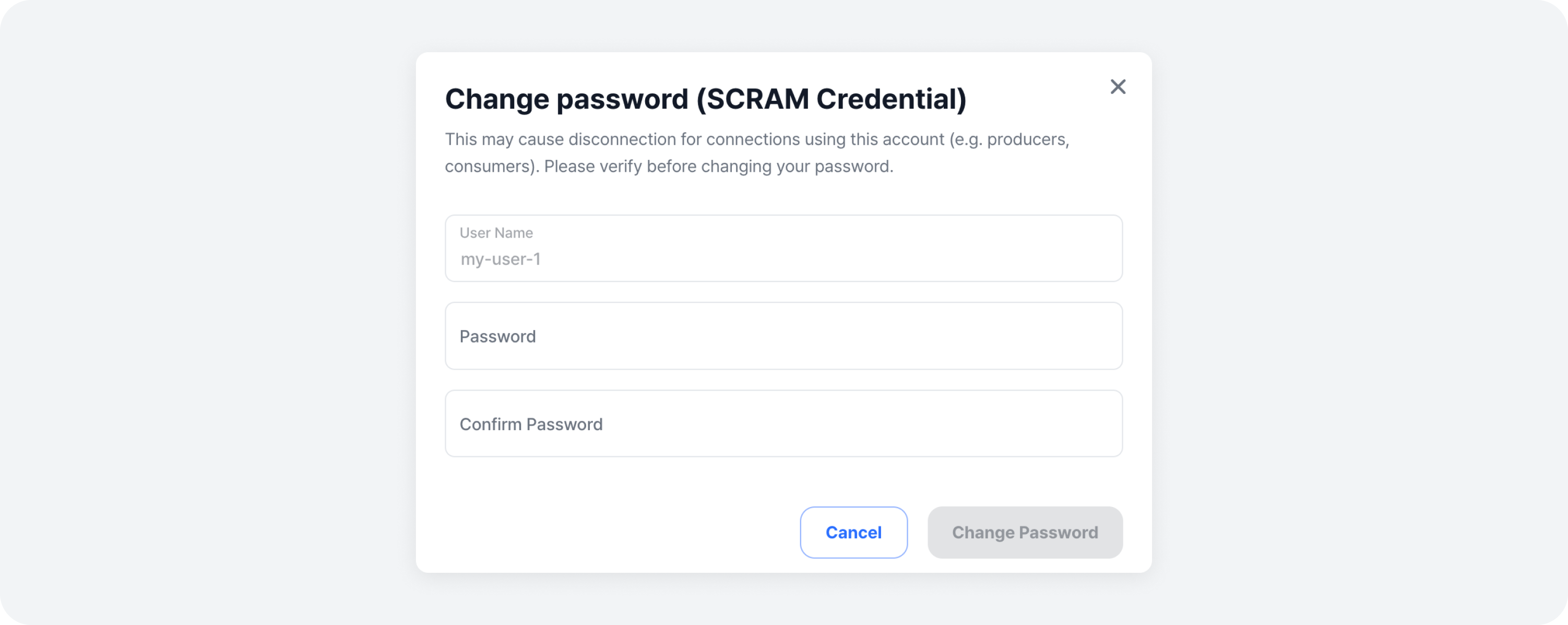
Be aware that changing the password may disconnect any producers, consumers, or other entities that are using the credential.
Deleting SCRAM Credential
To delete a credential, click on the [Trash Can Icon] on the right side of the specific row to remove, or select multiple credentials using the checkboxes and click the [Delete] button. Review the warning message and the details of the credentials and click the [Delete] button to complete the deletion.
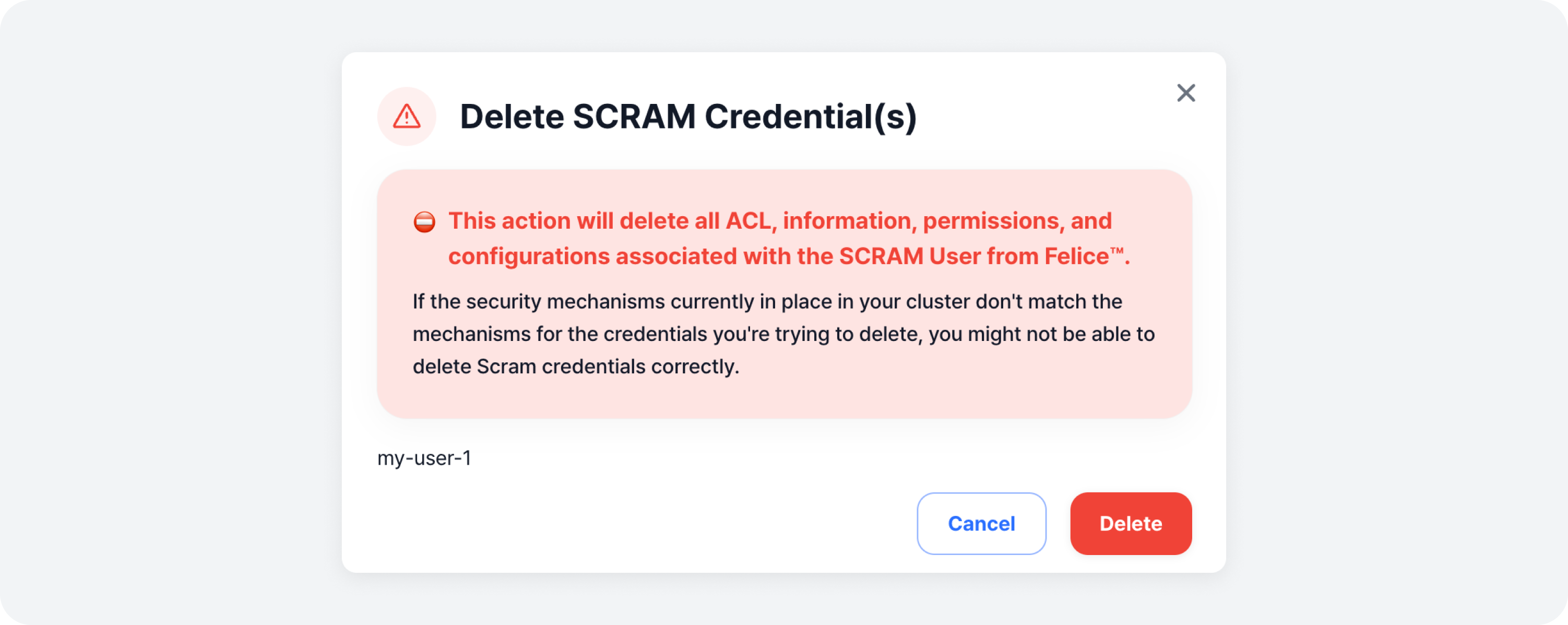
Be aware that deleting a credential will remove all related information, ACLs, permissions, and configurations.