ACL
ACL (Access Control List) is a list of permissions used to control access rights in a system. In Kafka, ACLs can be applied to resources such as topics, clusters, and consumer groups to restrict access, so that only the authorized clients with specific permissions can access them.
Setting up ACLs in Kafka is crucial for security. Without ACLs, all users can access resources, which increases security risks. Moreover, if ACLs are enabled but no permissions are set for certain resources, only the super users can access those resources, while disabling regular users.
Thus, inaccurate ACL settings can lead to improper management of Kafka resources, so it is important to beware.
Felice provides an ACL management feature for clusters with authentication and authorization configured. Additionally, if the cluster security setup includes the SCRAM mechanism, it can be managed in integration with SCRAM Credentials.
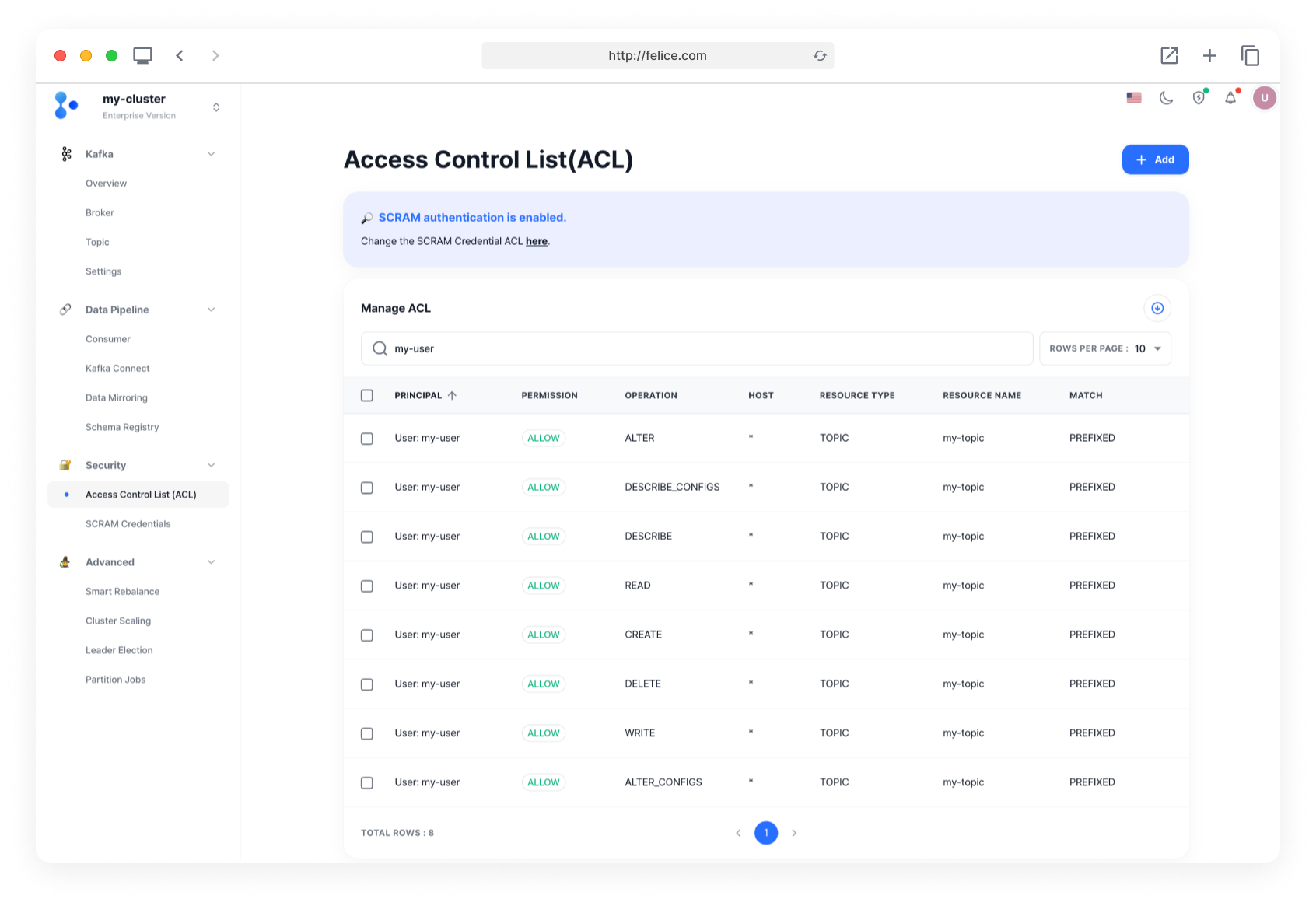
To add new permissions, open the Access Control List page and click on the [Add] button to bring up the Add new permission modal.

Adding New Permission
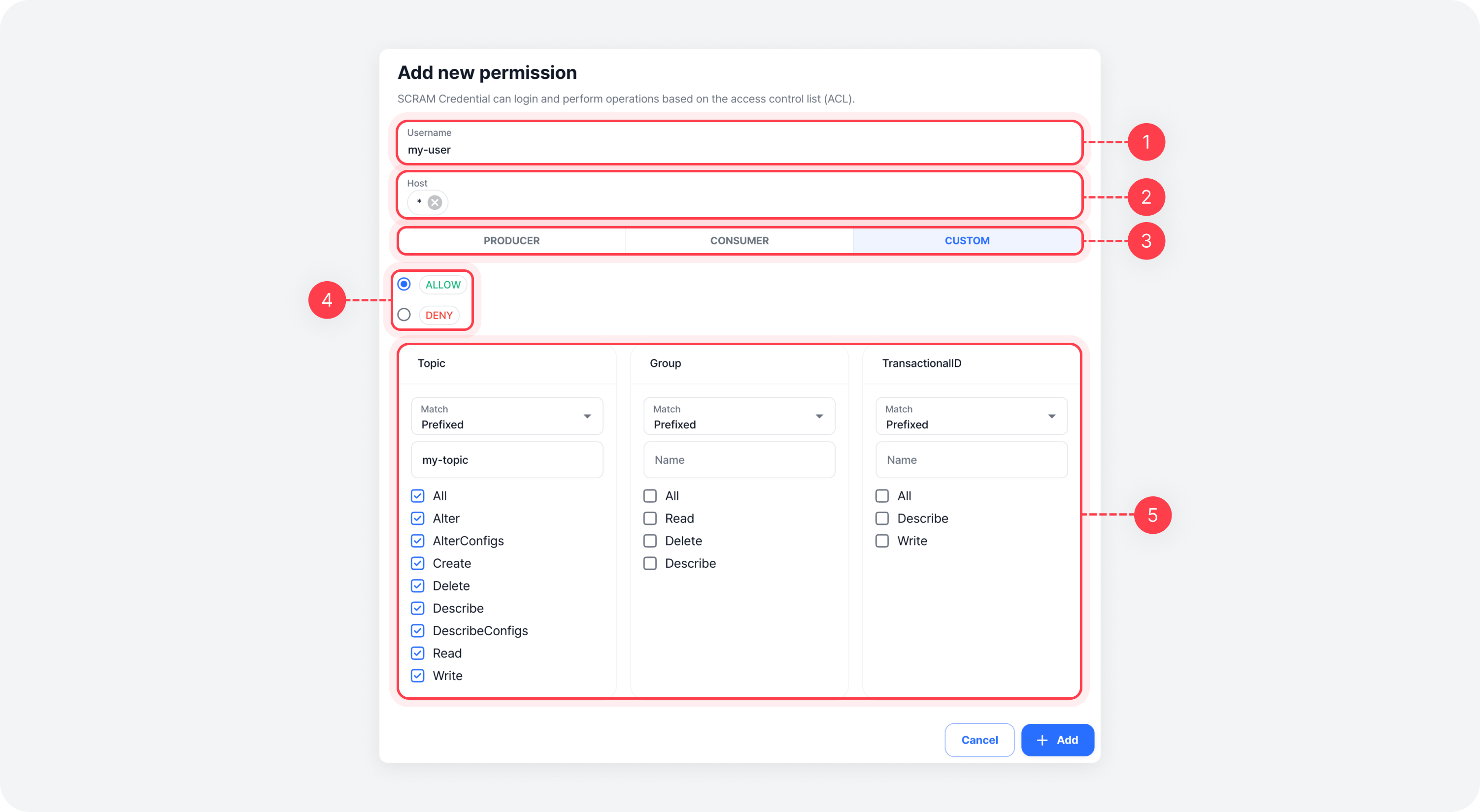
Enter the information for the new permission. Start by entering the username and host details, then select the client type for which you want to control access. Next, choose whether to allow or deny access and select the specific resource.
Once you have filled in all the details, click the [Add] button to add the permission. After it is complete, multiple ACL entries will be created based on the provided information.
| Field | Description |
|---|---|
| ⓵ Username | The name of the user the access permission will be granted to |
| ⓶ Host | Specify the host for which access will be allowed or denied (default: *) |
| ⓷ Select preset | Configure resource permissions according to the preset - Producer: Sets resource permissions suitable for producer clients - Consumer: Sets resource permissions suitable for consumer clients - Custom: Sets user-defined resource permissions |
| ⓸ Access permission type | Allow or deny access to the resource - ALLOW: Allows the user access to the specified resource - DENY: Denies the user access to the specified resource |
| ⓹ Resource Configuration | Specify the resource to set access permissions - Topic: Sets permissions for a specific topic - Group: Sets permissions for a specific consumer group - TransactionalID: Sets permissions for a specific transactional ID |
When selecting resources, specify how to match the resource names using the following options.
- Prefixed: Checks if the resource name matches the specified prefix. For example, if the prefix is log-, all resources with names like log-topic1 and log-topic2 would be matched.
- Literal: Checks if the resource name exactly matches the specified name. For example, if topic1 is entered, only topic1 would be matched.
Operation refers to the actions that can be performed on each resource. Different actions are available for each resource type (Topic, Group, TransactionalID). For details on the actions available for each resource, please refer to the ACL Operations document.
Deleting Permission
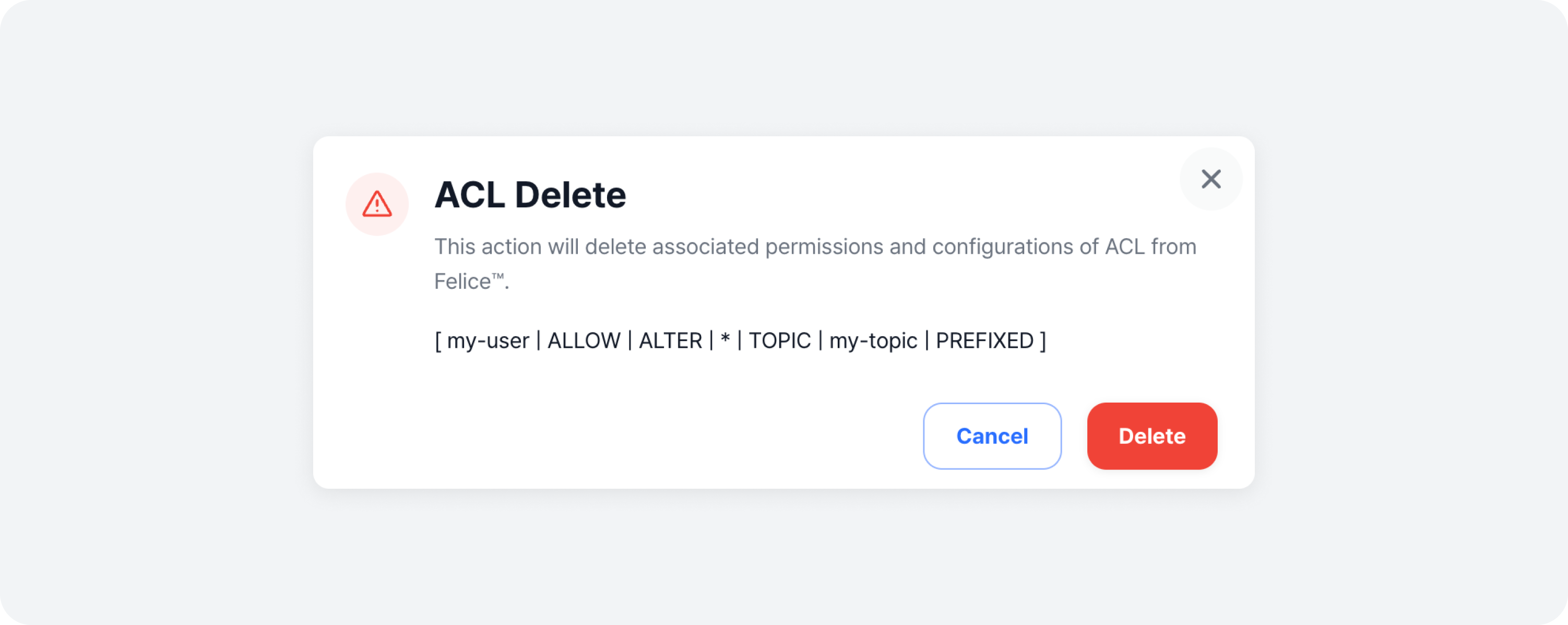
To delete a permission from the list, click on the [Trash Can Icon] on the right side of the specific row to remove, or select multiple permissions using the checkboxes and click the [Delete] button. Review the warning message and the details of the permissions, and click the [Delete] button to complete the deletion.