Details
In the Consumer Group List, you can select a consumer group name to view detailed information and metrics for that group.
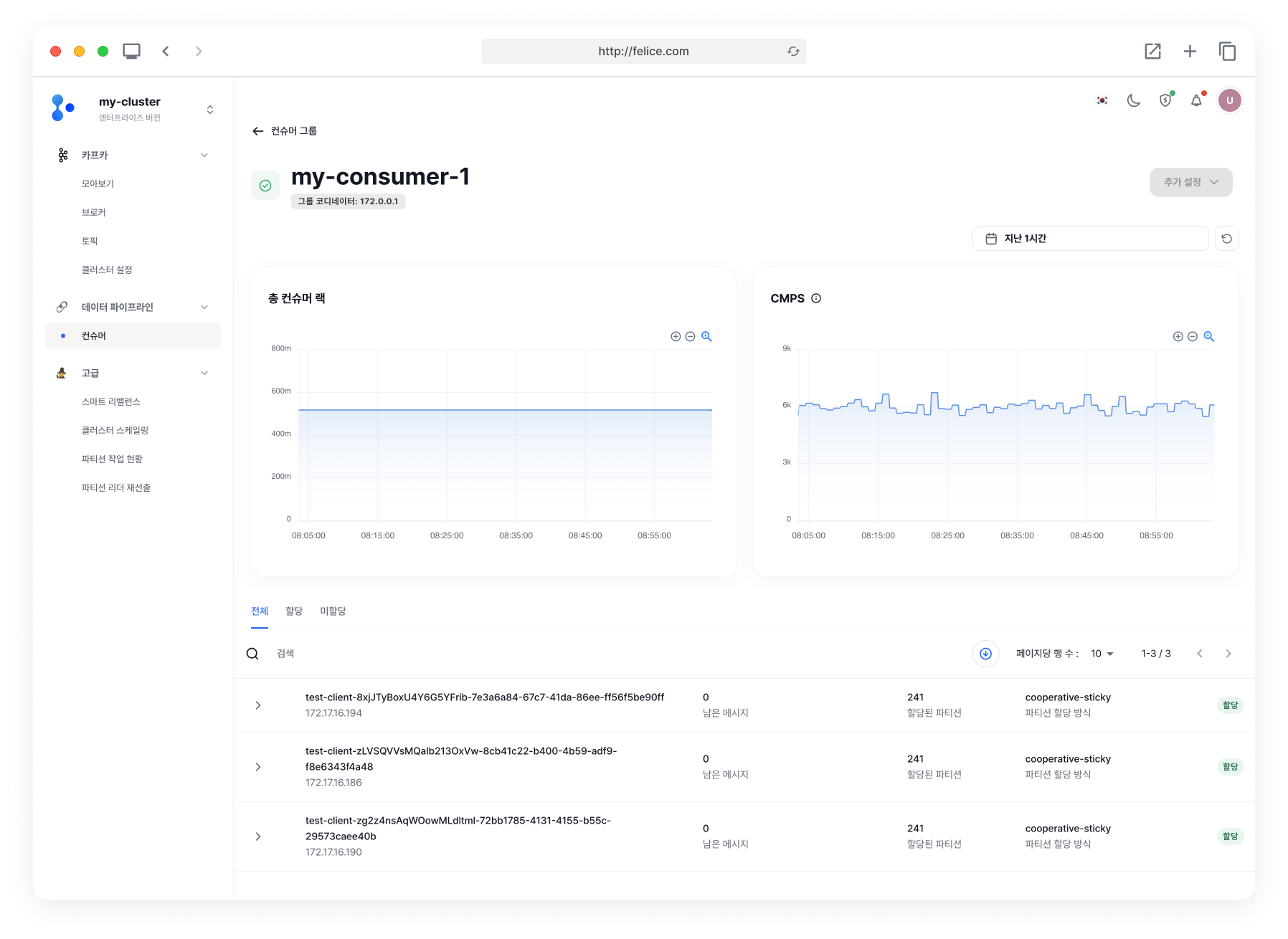
This section displays the IP address of the coordinator responsible for the consumer group. One of the brokers acts as the group coordinator and this can differ for each consumer. The coordinator is responsible for handling consumer rebalancing and electing consumer leaders.
Consumer Metric
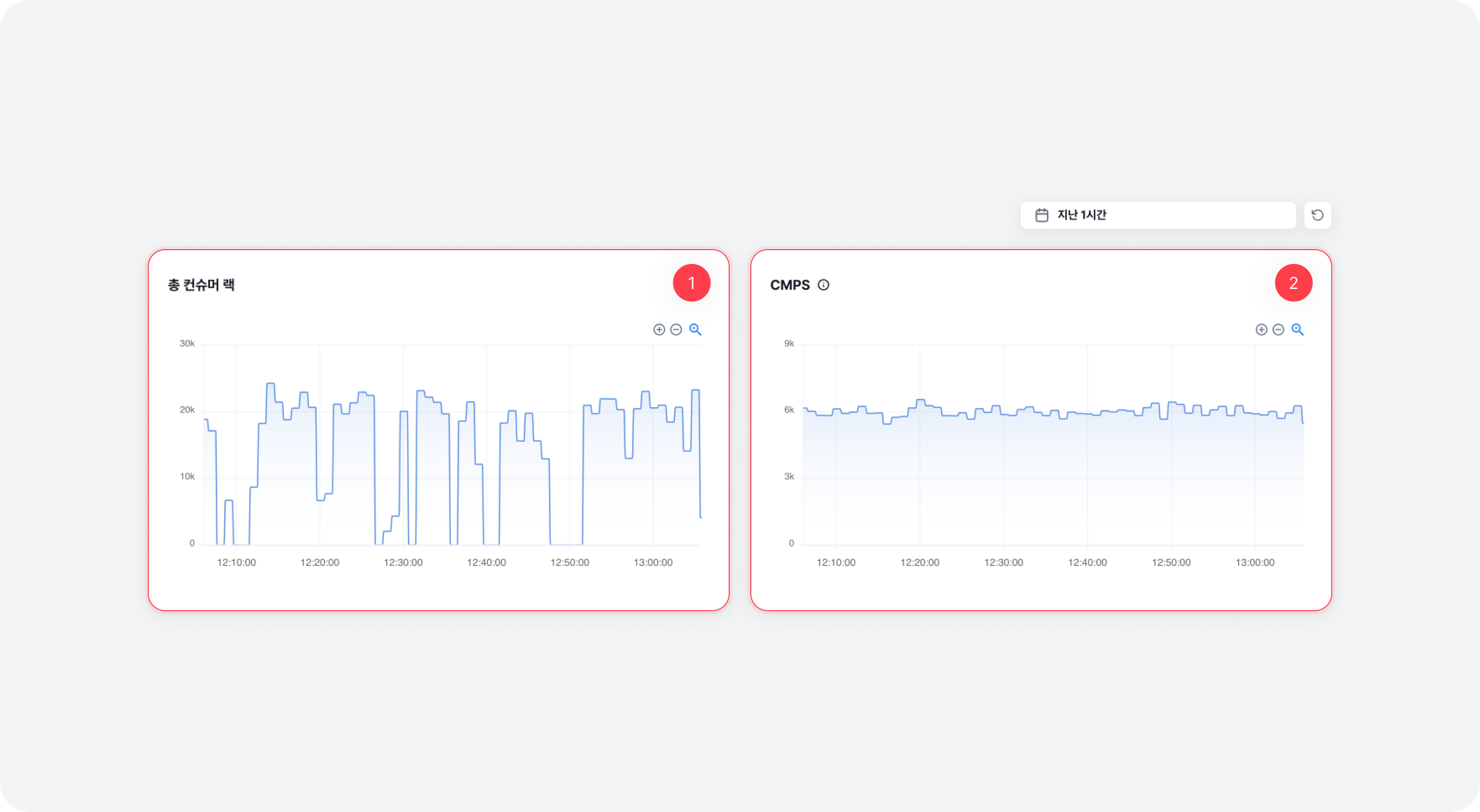
| Item | Description |
|---|---|
| ⓵ Total Consumer Lag | This shows the total consumer lag (read lag) history information for the entire group, allowing you to observe the trends of consumer lag changes |
| ⓶ CMPS | This shows the CMPS history information for the entire group, allowing you to observe the trend of changes |
Changing Offset
If the consumer group status is abnormal, you can change the offset of the consumer group by clicking on the [Actions] button located at the top right of the details page.
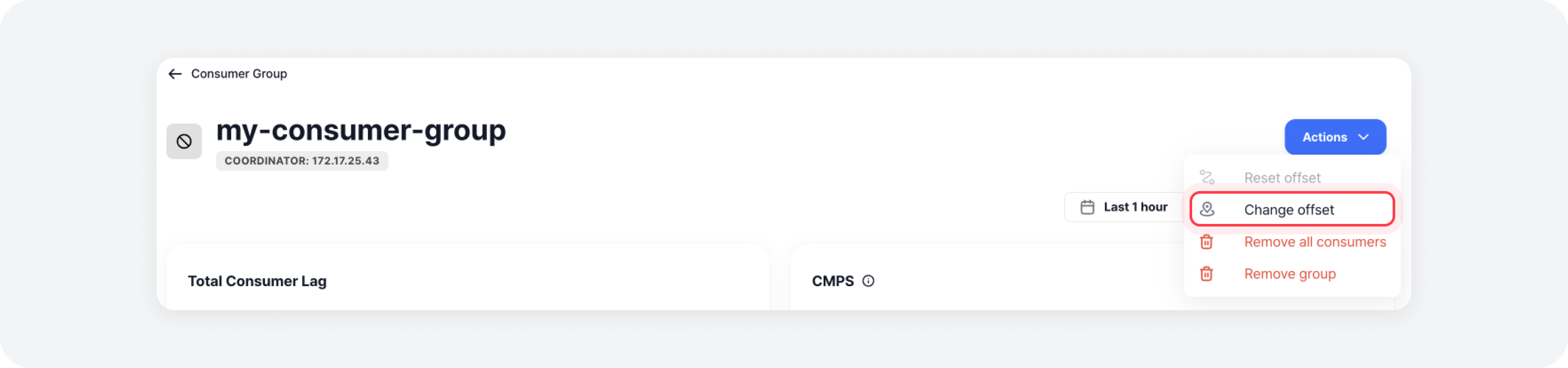
Changing the offset allows you to modify the current offset of the topic-partition that the consumer group subscribes to, setting it to the desired value. If you specify a value larger than the current offset of the topic, or the offset does not exist, the current offset will be determined according to the consumer setting's auto.offset.reset setting.
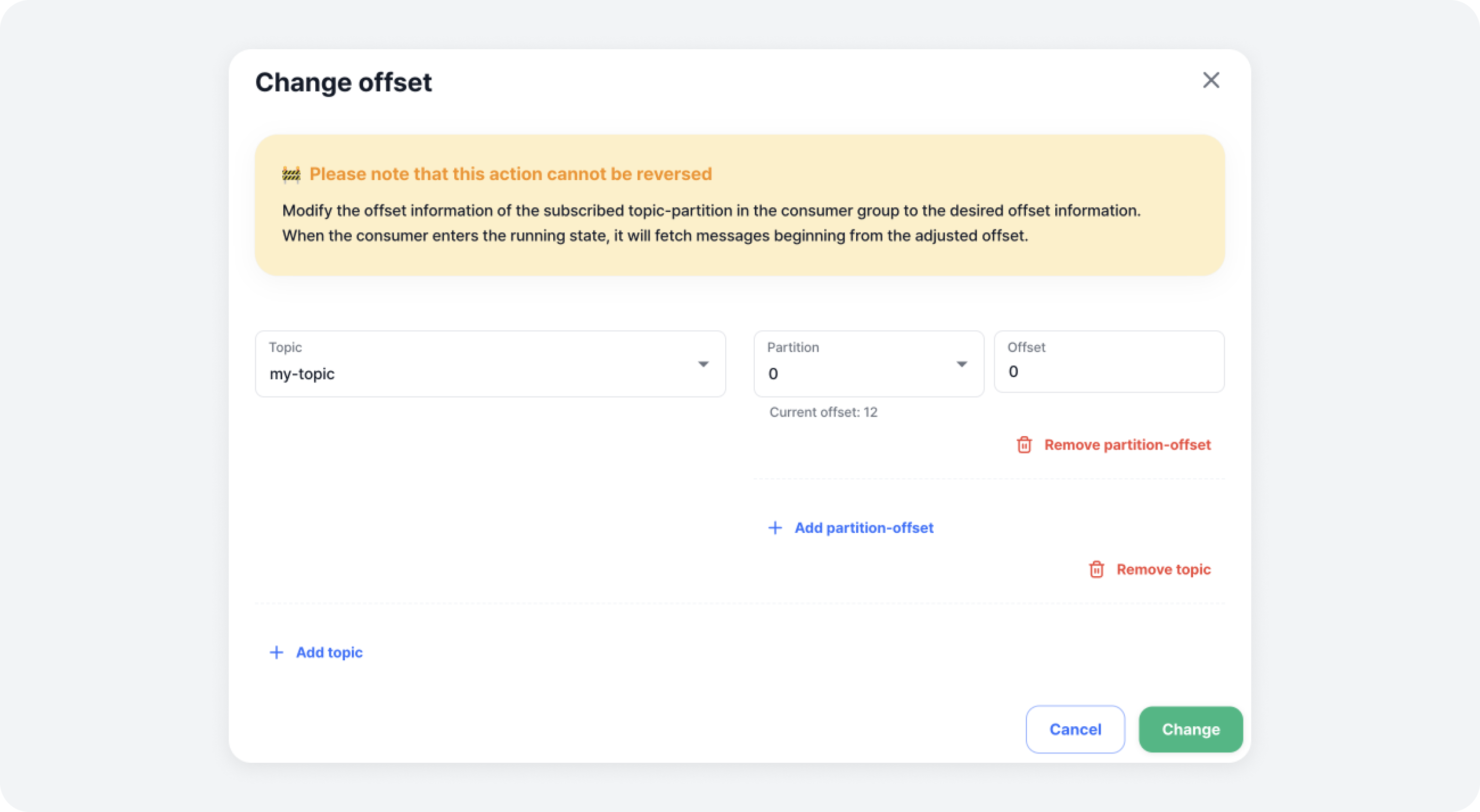
Changing the offset only applies to the topic-partition-offset entered in the input form within the modal. To adjust the offset, first select the topic you want to adjust the offset for, from the Topics list the consumer is subscribing to. Then select the partition you want to adjust the offset for and enter the desired offset value in the rightmost input field.
When you select a partition, the current offset for that partition is displayed below the partition selection input box.
Removing All Consumers
When the consumer group status is abnormal, you can delete all consumer information by clicking the [Actions] button located at the top right corner of the details page.
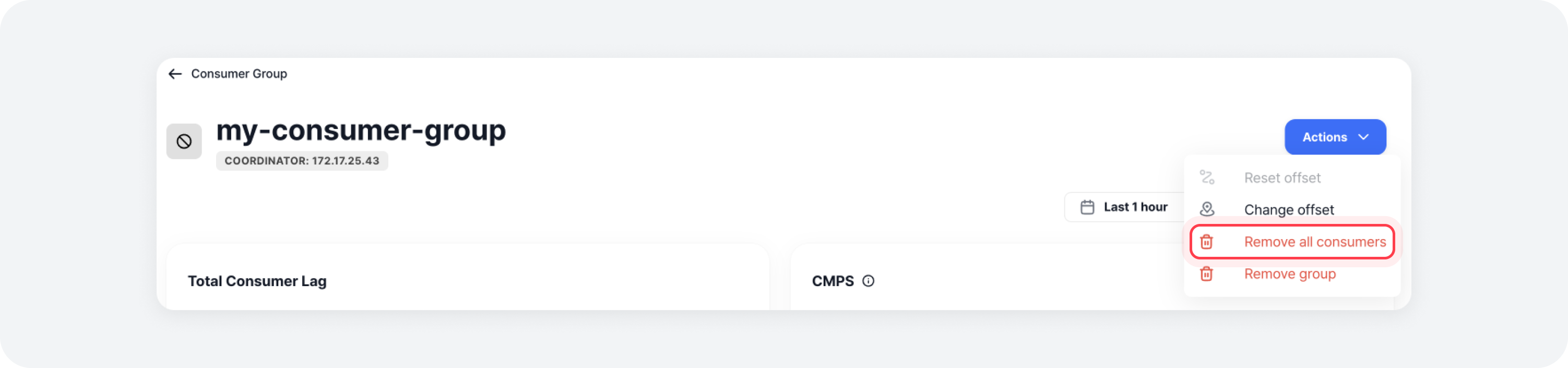
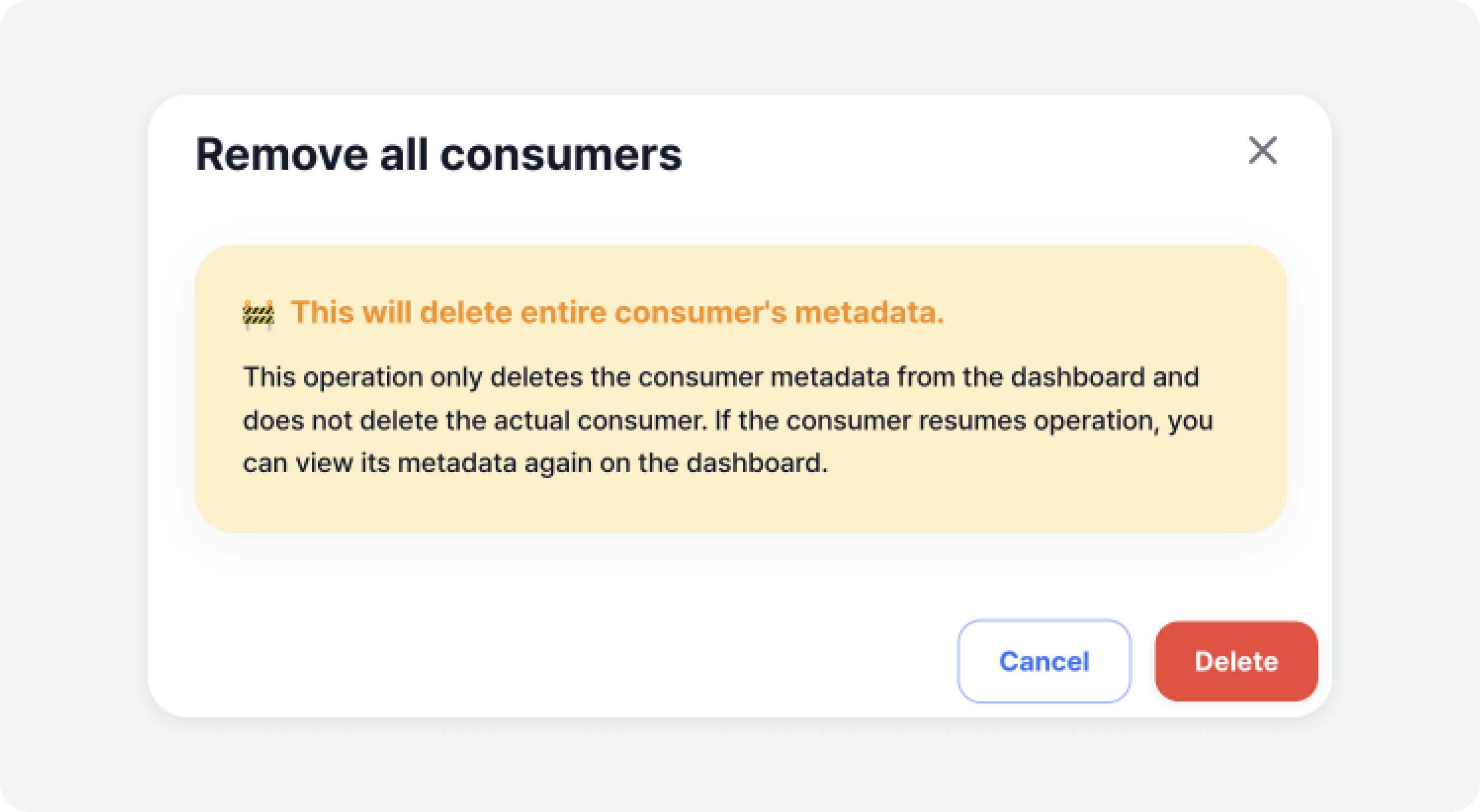
The action deletes all consumer information existing in the consumer group metadata. This does not mean that the consumer client is deleted, but instead, only the metadata read by Felice is deleted. Therefore, after deleting the consumer information, the metadata can be regenerated if the consumer resumes operation again.
Removing Group
If the consumer group status is abnormal, you can delete the consumer group information by clicking the [Actions] button on the details page.
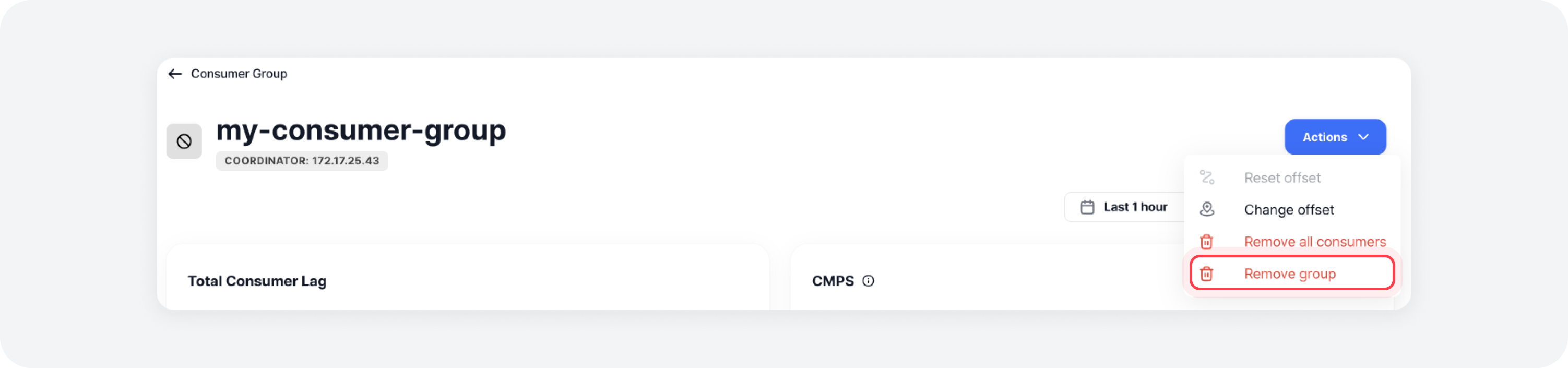
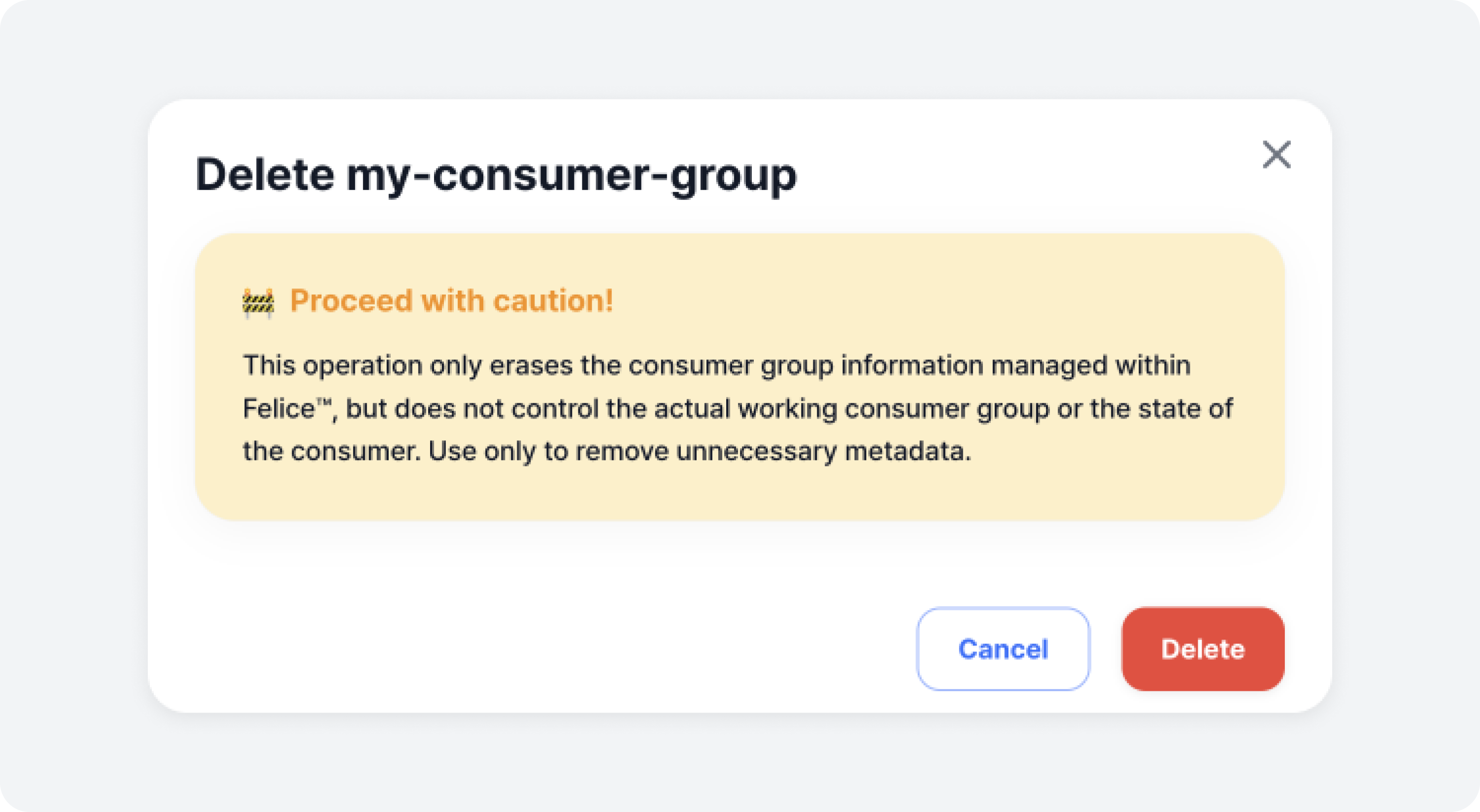
This operation deletes the consumer group's metadata, so the actual consumer group is not deleted.
Consumer List & Status within Group
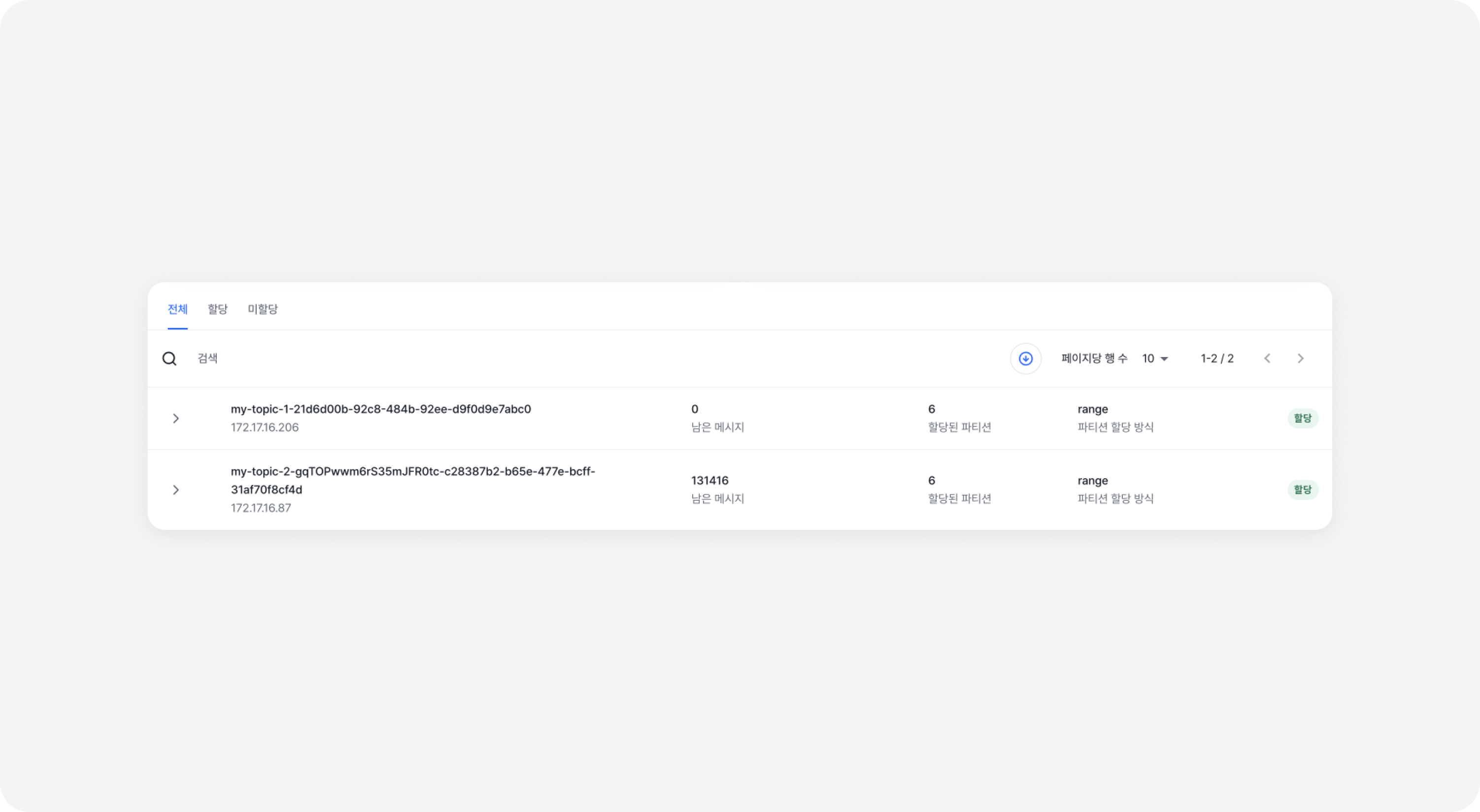
You can check the list and status of consumers within the group. It provides separate lists for assigned/not assigned consumers, as well as the detailed information about the topic-partition each consumer is currently reading.
-
Consumer ID and Host Address
The individual consumer's client ID and the host IP address where it is running. Note that this information may not be accurate in container environments -
Message Behind
The total number of messages the client has not yet read
-
Assigned Partition
The number of partitions assigned to the consumer
-
Partition Assignment Method
The method used for assigning partitions within the consumer group
-
Assignment Status
AssignedorNot Assigned
Topic Partition Lag List
If the consumer has lag, it displays a list of topic-partition lags.
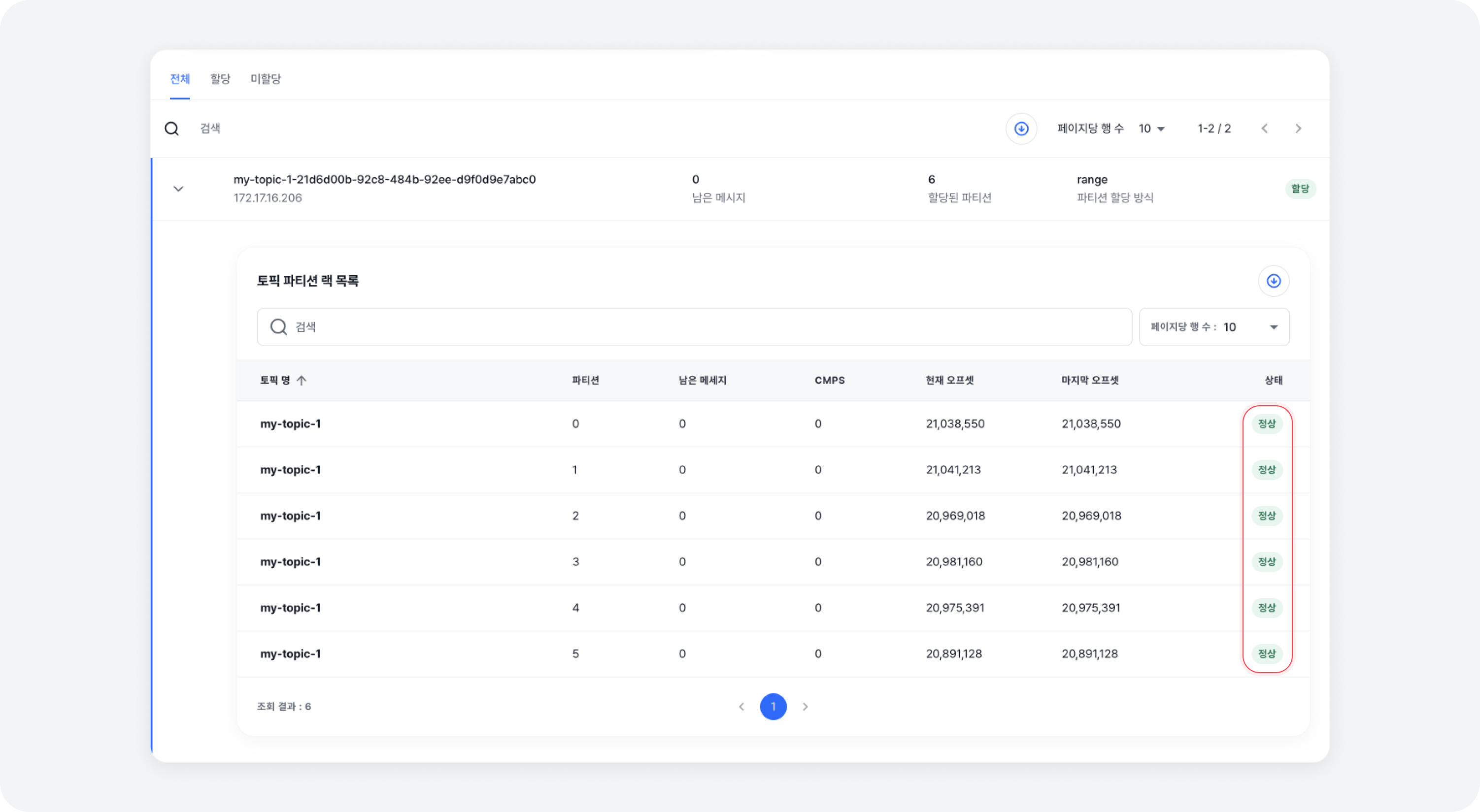
- Topic Name
The name of the topic currently being read - Partition
The partition number currently being read - Message Behind
The number of messages not yet processed - CMPS
Consumer messages processed per second - Current Offset
The offset of the next message to read - End Offset
The offset of the last message in the partition - Evaluation
The status evaluation of the consumer
| State | Description |
|---|---|
| NOT_FOUND | The consumer cannot be found |
| OK | Functioning normally |
| WARN | The offset and LAG are continuously increasing |
| ERR | The offset does not increase, but the LAG is not 0 |
| STOP | The offset has not been committed for a long time |
| STALL | The offset is being committed, but it is not increasing, and also the LAG is not 0 |