Client Quotas
You can set Quotas for each client and control the broker resources the client would use or limit the number of operational requests.
They refer to limits set on the maximum amount of resources that each user or group can use in a cluster or other computing environments. Quotas are used to prevent excessive use of system resources and to ensure fair distribution.
Why are Quotas Needed?
A Kafka Cluster is a shared resource among multiple client applications. If some clients use a lot of resources, it can make it difficult for other clients to use the Kafka Cluster. To prevent excessive resource usage by certain clients, Quotas can be set for each client individually.
It refers to applications like consumer, producer, or connector that produce or consume data in the Kafka Cluster.
Viewing Configured Quotas List
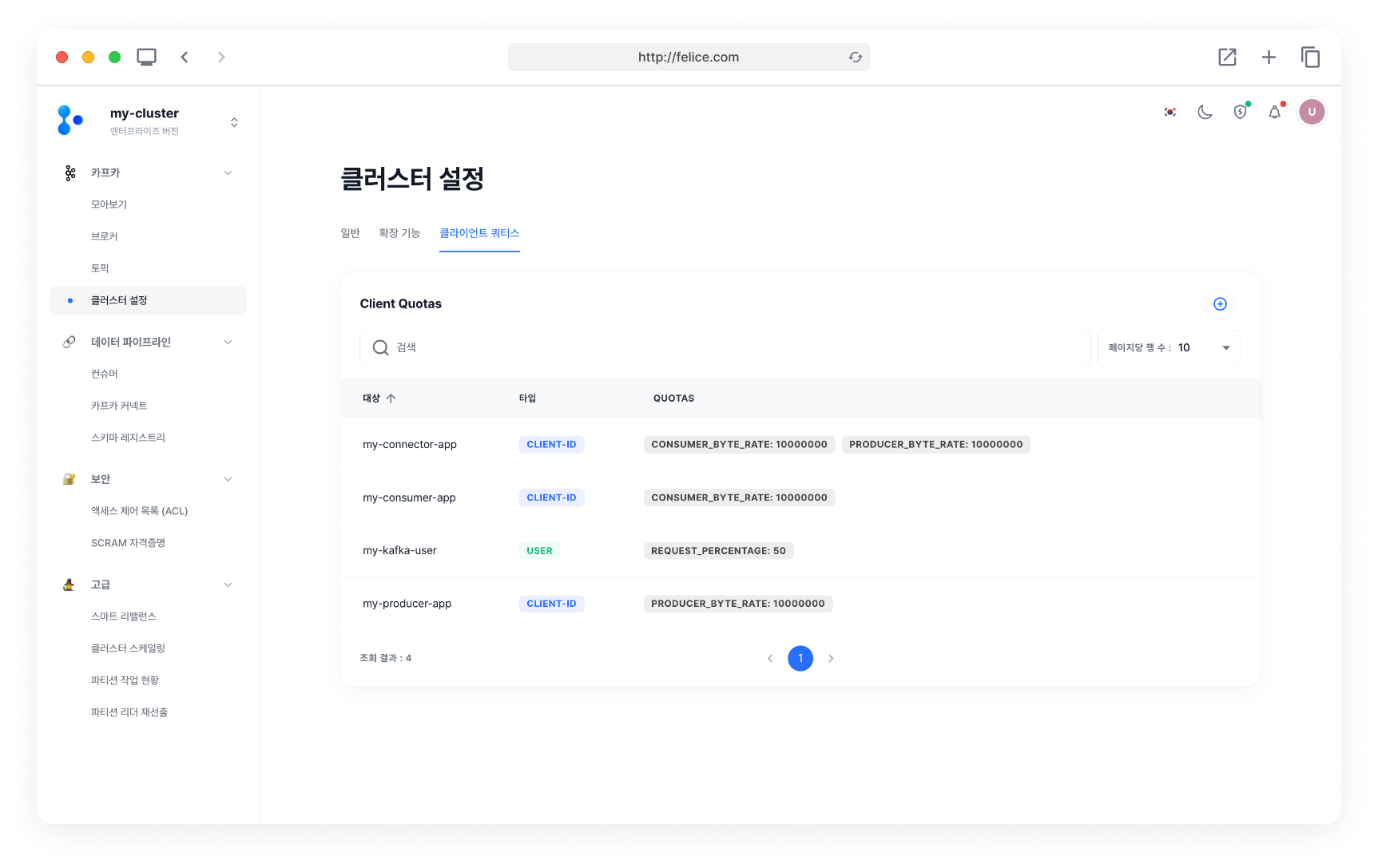
In the Cluster Settings > Client Quotas tab, you can view the list of currently configured Quotas for the cluster.
Adding New Quotas
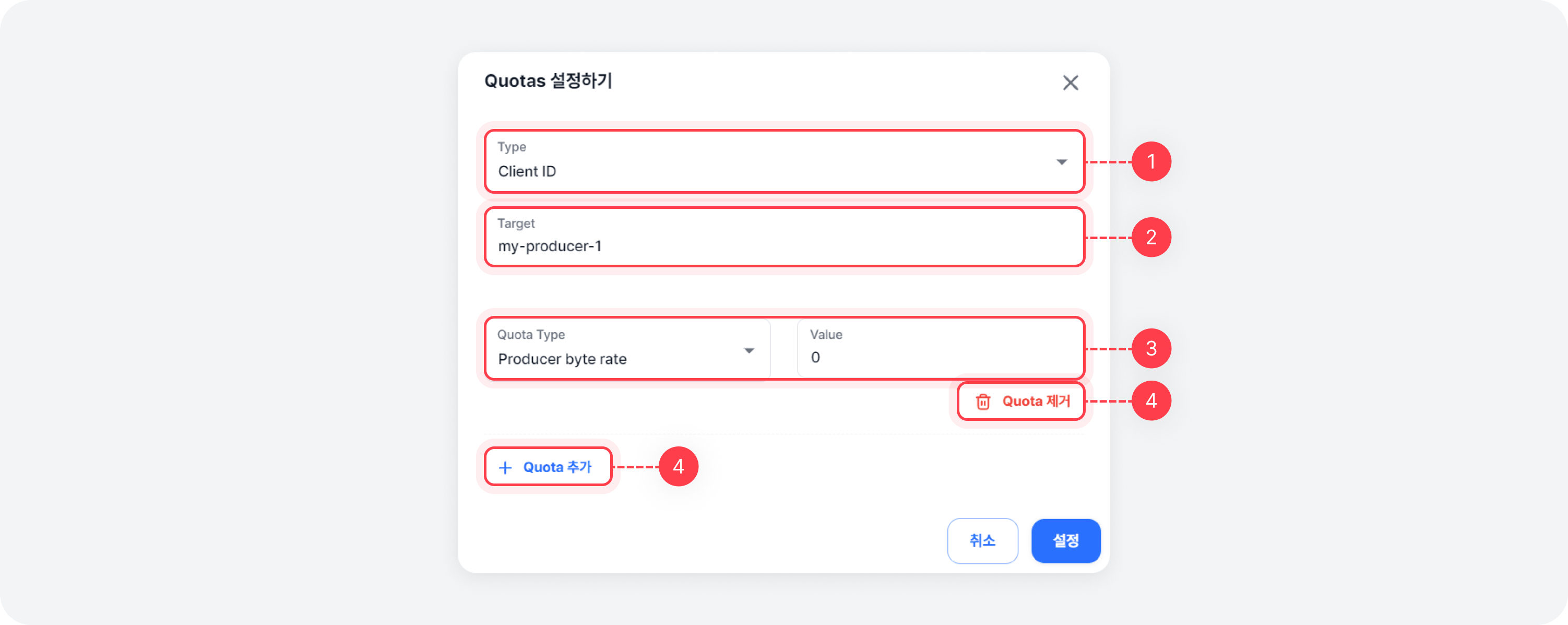
You can register new quotas by clicking the [Add quotas] button at the top right of the list. Quotas are applied on a per-broker basis, so the total Quotas vary depending on the number of brokers.
1. Quotas Type
Please select the Quotas target type.
| Field | Description |
|---|---|
| Kafka user | Kafka user |
| Client ID | Client ID made when creating producer/consumer |
You can set Quotas per Kafka user. A Kafka user refers to an individual who has access to the Kafka Cluster, and if you set Quotas for each Kafka user, they will be applied when the users access the Kafka Cluster. Note that each Kafka user's Quotas can be set only if authentication is set for the Kafka Cluster.
2. Target
Based on the type selected in 1. Quotas Type, please enter the Target information.
3. Quota Type
| Field | Description |
|---|---|
| Producer byte rate | The threshold for the rate of bytes transmitted per second by producer |
| Consumer byte rate | The threshold for the rate of bytes consumed per second by consumer |
| Request percentage | The percentage of time that I/O threads and network threads are available for requests Maximum (number of I/O threads + number of network threads)x100% |
4. Adding & Removing Quota
If you wish to set multiple Quotas for a single target, you can add more Quotas by clicking the [+ Add Quotas] button. If you accidentally add an incorrect quota, you can remove it by clicking the [Remove Quotas] button.
Editing Configured Quotas
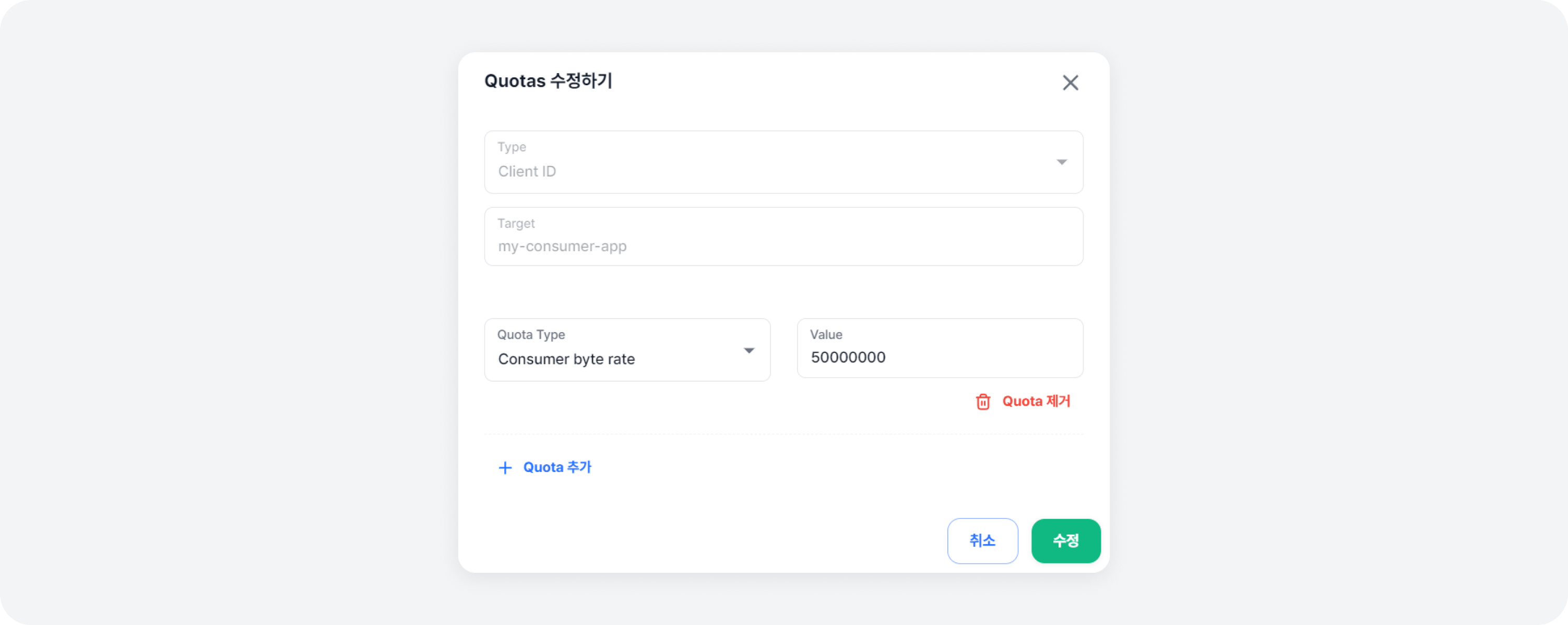
To modify Quotas from the list, click the [Quick Edit] button next to the Quotas you want to change.
Disabling Configured Quotas
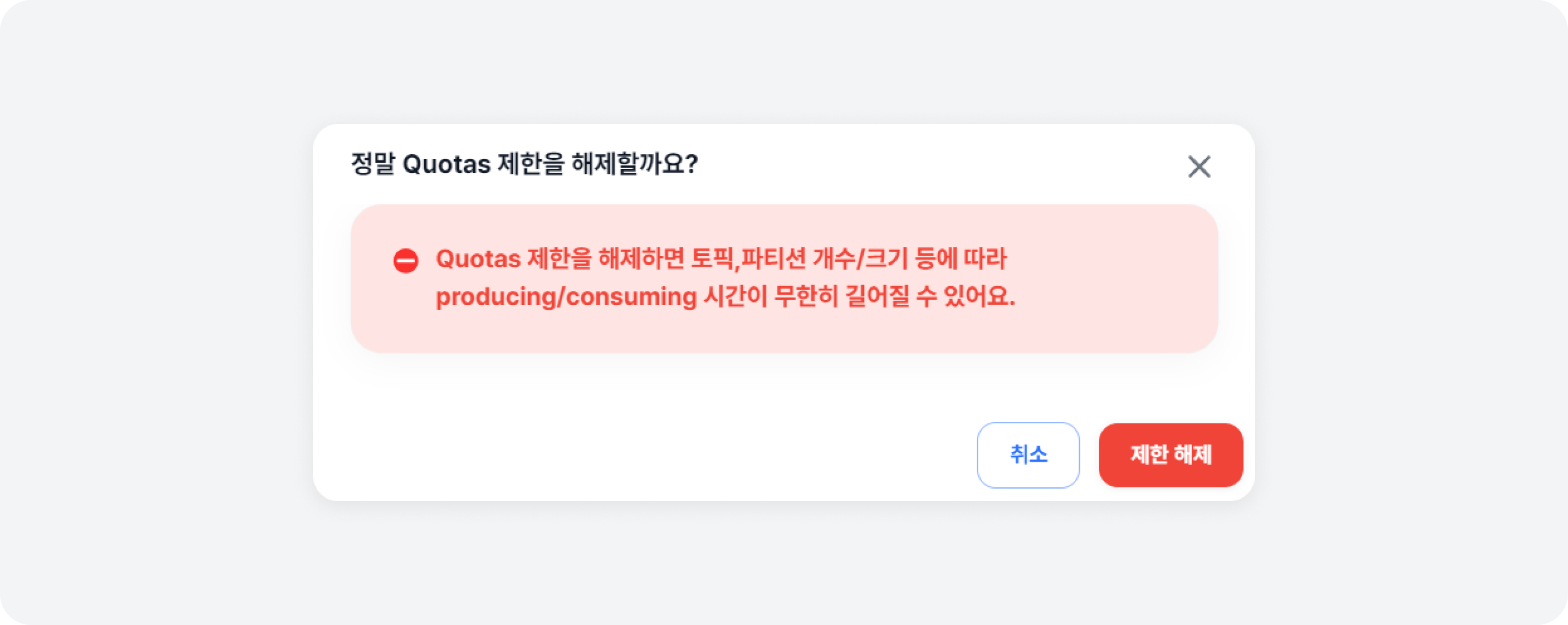
To disable a Quotas limit, click the [Delete] button next to the Quotas you wish to disable.
Disabling a Quotas limit means that the client will no longer be subject to Quotas restrictions, so please beware.