Templates
You can save the frequently used notice templates. Up to 20 templates can be registered.
Start out by clicking on [Notice template] tab to move to the page with the list of registered templates.
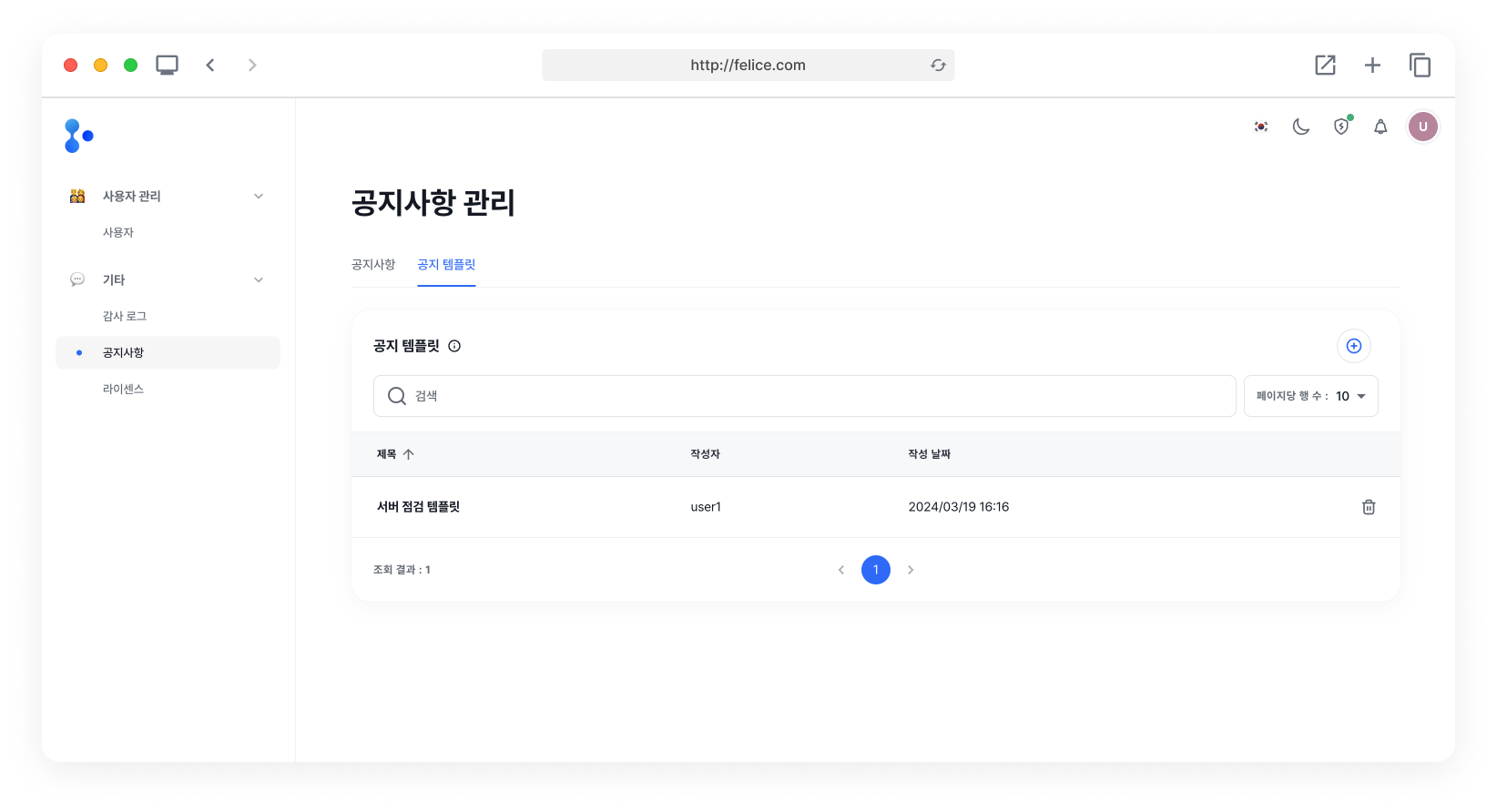
Creating Notice Template
Click on the [Plus] button at the top right corner of the Notice templates list to access the Create template page.
Notice Template Input Fields
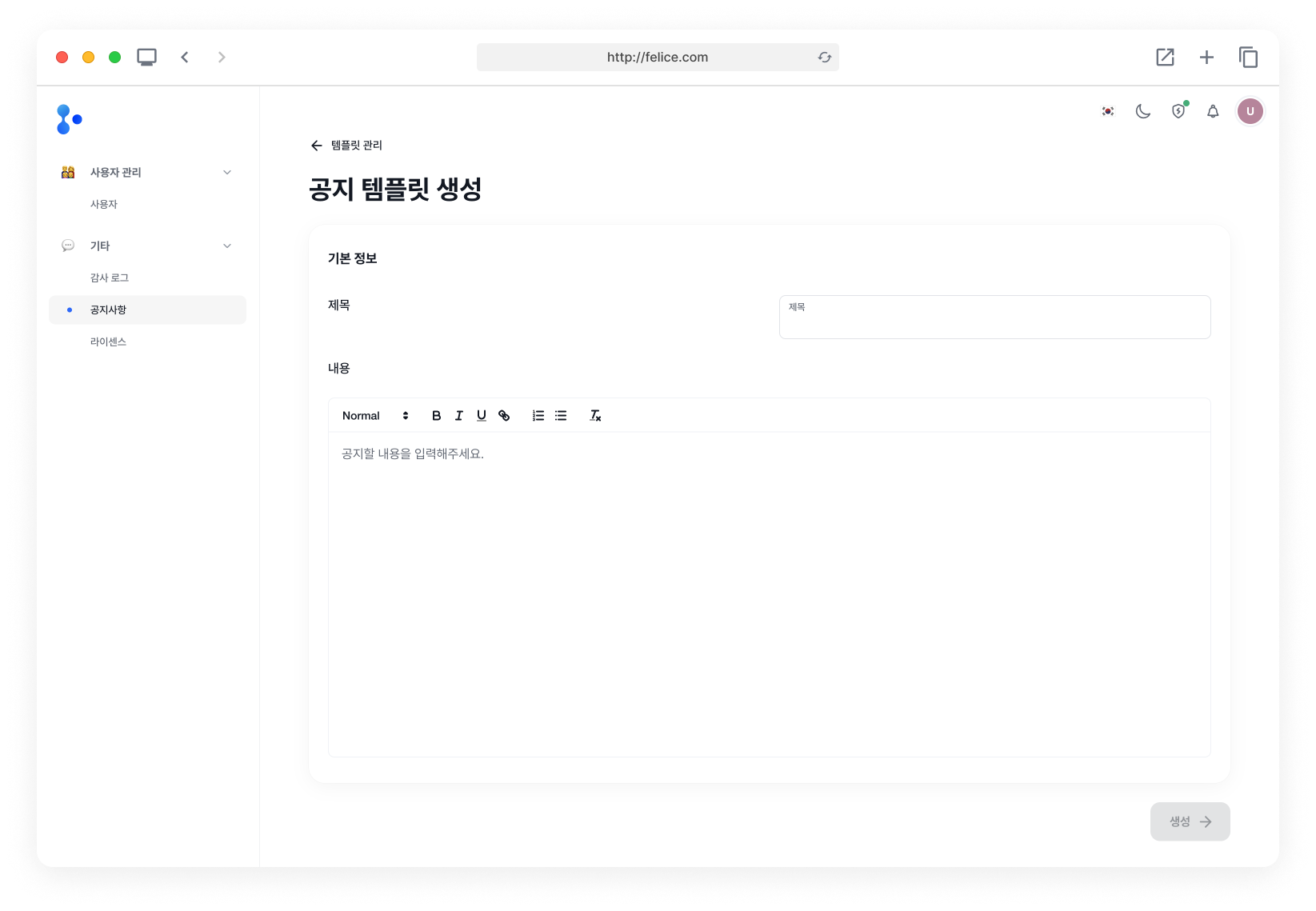
| Field | Description |
|---|---|
| ⓵ Title | Create a template title that allows you to distinguish between notice templates |
| ⓶ Content | When you apply the template, these contents will automatically be filled into your notice contents |
The title of the notice template is to distinguish between templates. Therefore, even if you apply a template, the notice's title will not be filled with the template's title.
Deleting Notice Template
You can delete a Notice template that you no longer need. From the list, click on the [Trash Can Icon] located on the right side of the specific template row, in order to delete it.
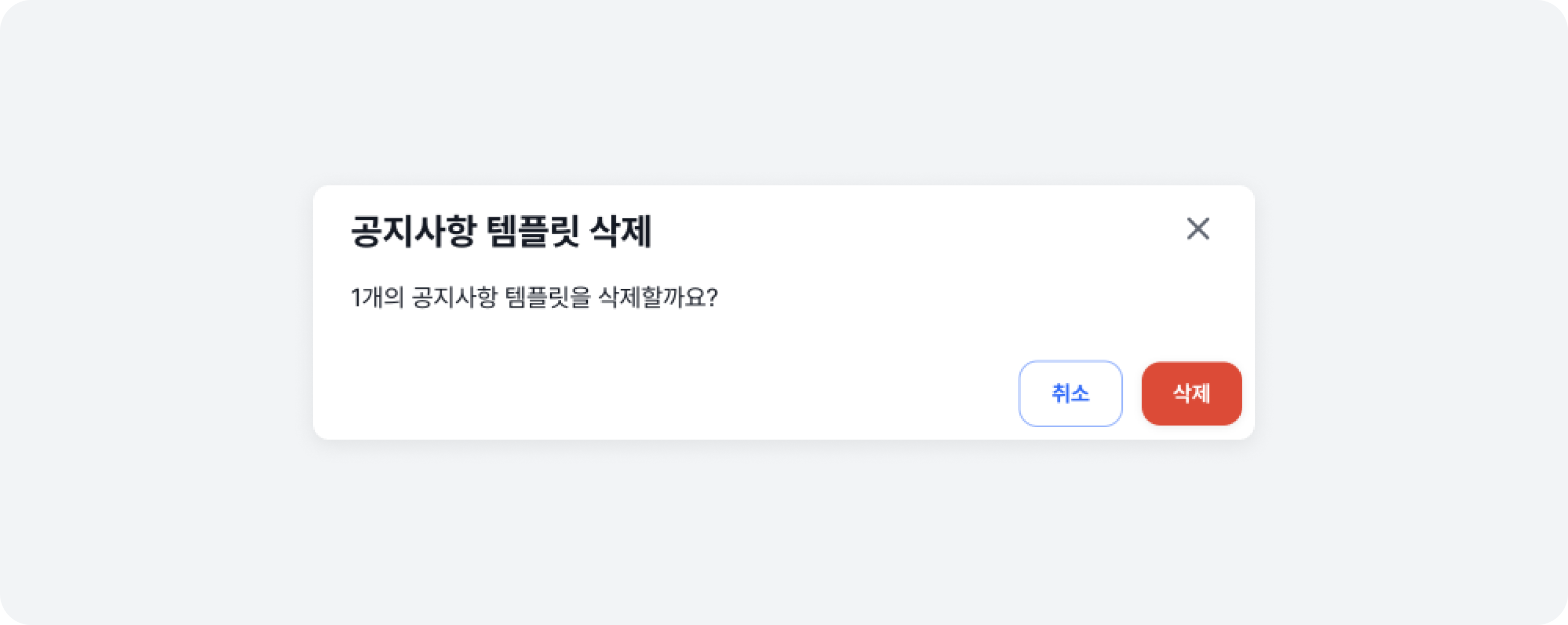
Even if you delete a notice template, the notices created with this template will not go away.